

Introduction
Choosing the best Arduino temperature sensor gets much easier once you narrow the job down to a few practical questions: Do you need only temperature, or temperature plus humidity or pressure? Will the sensor be used indoors, outside, or in water? Do you need fast updates, or just occasional ambient readings?
Some sensors are simple and inexpensive but limited. Others offer better accuracy, a wider range, or easier digital interfacing. A few are better suited to wet or high-temperature environments. This guide compares common Arduino-compatible temperature sensors and helps you choose the right part before you start wiring.
Key Takeaways
- Choosing a sensor by use case
- Comparing analog vs digital temperature sensors
- Matching Arduino interface types to sensor families
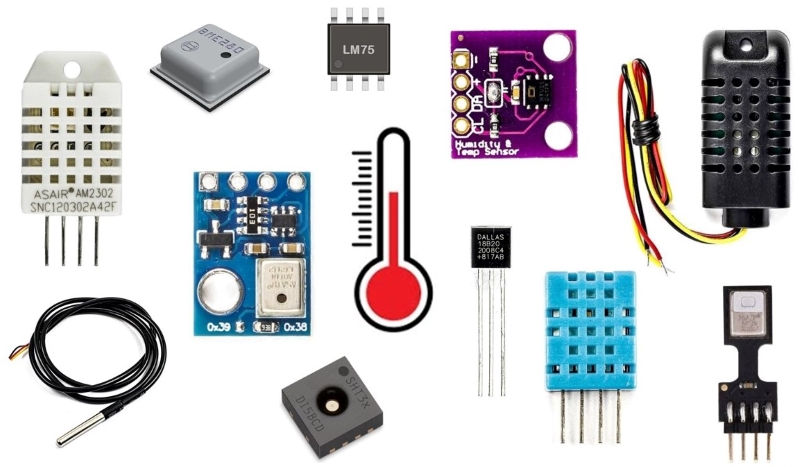
- Comparing DHT11, DHT22, DS18B20, BME280, LM35, and LM75
- Selecting sensors for wet, outdoor, or high-temperature environments
Which Arduino Temperature Sensor Should You Choose?
If you want a quick answer before digging into the full specs, start here.
| Use Case | Recommended Sensor | Why It Fits | Main Tradeoff |
|---|---|---|---|
| Beginner indoor monitoring | DHT11 | Low cost, simple single-wire interface, measures temperature and humidity | Lower accuracy and narrower range |
| Better accuracy with humidity | DHT22 | Better accuracy and wider range than DHT11 | Slower sampling period than some other digital sensors |
| Waterproof or liquid temperature sensing | DS18B20 waterproof probe | Digital output, wide temperature range, probe form is suited for wet measurement | Temperature only, no humidity or pressure |
| Weather station or multi-parameter monitoring | BME280 | Measures temperature, humidity, and pressure; supports I2C and SPI | Not waterproof |
| Simple analog temperature measurement | LM35 | Linear analog output, easy to read with an Arduino ADC | Accuracy depends on sensor and ADC setup |
| Digital temperature-only sensor over I2C | LM75 | Digital I2C interface and simple integration | Temperature only |
| High-temperature industrial-style measurement | Thermocouple | Useful for much higher temperatures than most IC sensors | Usually needs an interface module such as MAX6675 |
How to Choose the Right Temperature Sensor?
A good sensor choice usually comes down to measurement quality, electrical interface, environment, and cost. Start with the actual job the sensor needs to do, then compare the specs that affect that job.
Warning
Always verify temperature range, humidity range, operating voltage, and resolution against the manufacturer's datasheet before finalizing your sensor choice, especially for DHT11 and DHT22 where counterfeit modules often deviate from official specs.
Resolution
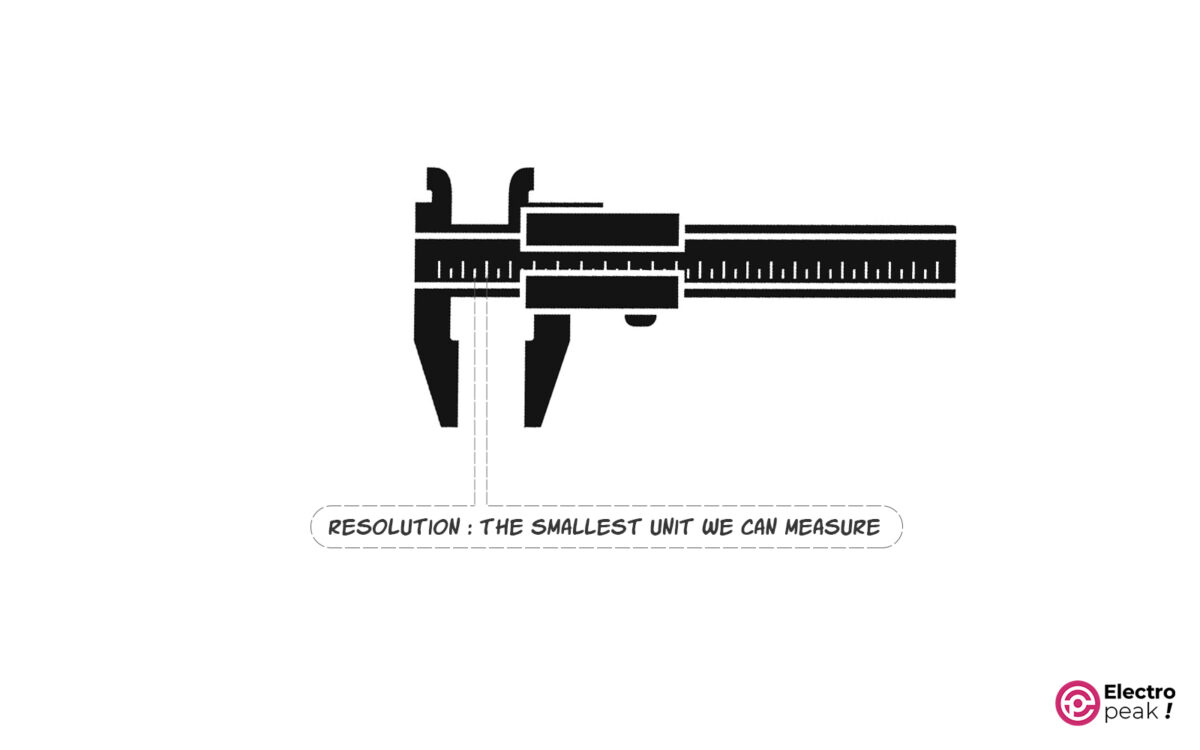
Resolution is the smallest change a sensor can report. A sensor with finer resolution can show smaller temperature steps.
This matters most when small changes are meaningful. A room monitor may be fine with coarse steps, while a lab setup usually needs more detail.
Accuracy (error)
Accuracy tells you how close the measured value is to the real temperature. Resolution and accuracy are not the same.
A sensor can report tiny increments and still be off by a noticeable amount. For control systems and comparisons between locations, accuracy matters more than a neat-looking decimal number.
Range
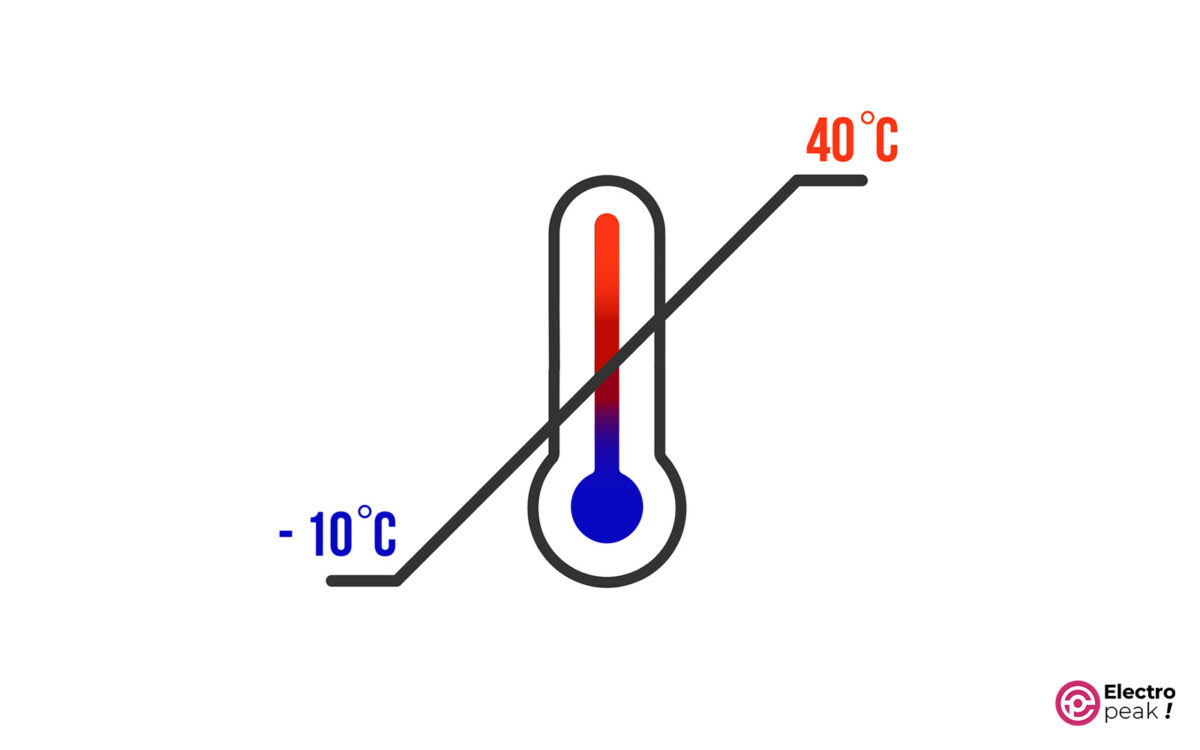
Range is the temperature span in which the sensor is intended to operate properly. If your project might see freezing conditions, engine-bay heat, hot water, or outdoor swings, check the usable range first.
This is often the spec that rules out the wrong sensor fastest.
Output Type & Sensor Communication Protocol
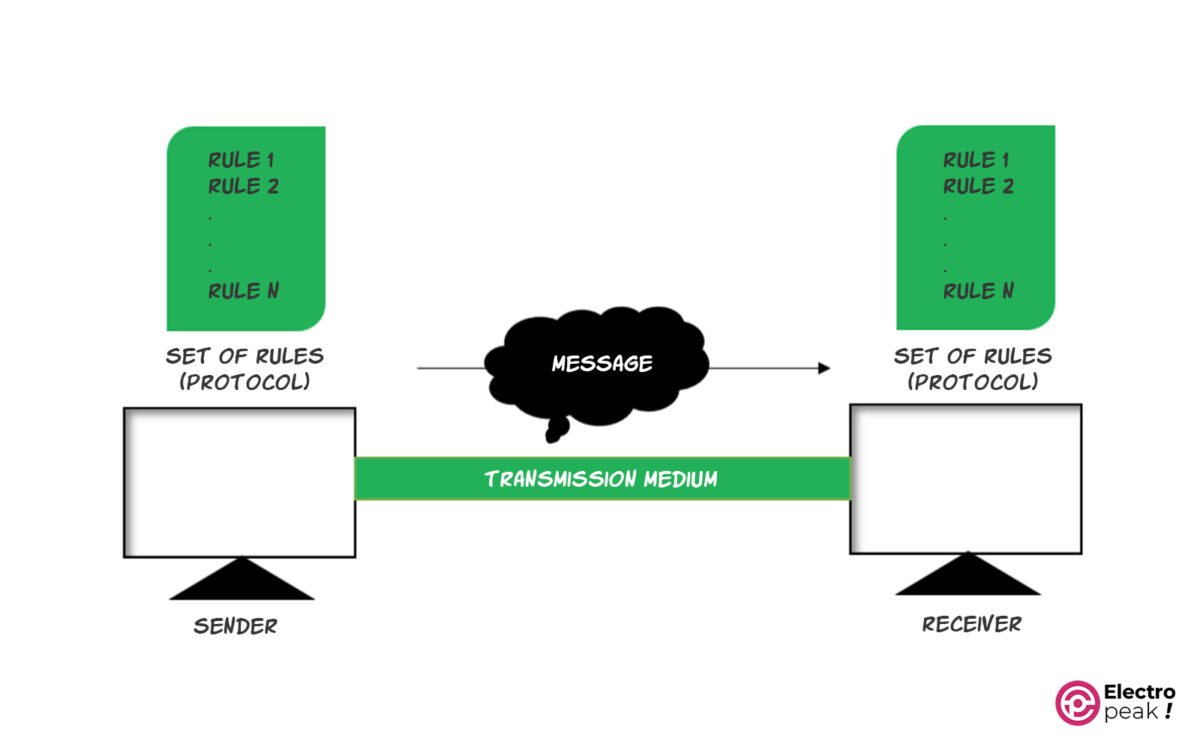
The output type determines how you read the sensor.
Analog sensors output a voltage that the Arduino must measure with its ADC. Digital sensors handle conversion internally and communicate over interfaces such as single-wire, 1-Wire, I2C, or SPI.
Choose the interface that matches your board, available pins, and the amount of code complexity you want to deal with.
Sampling Rate and Data Transfer Speed
Sampling rate is how often the sensor can provide a new reading. For slow ambient monitoring, this may not matter much. For fast thermal changes or control loops, it matters a lot.
DHT-family sensors, for example, work fine for room conditions but are less suitable when the temperature changes quickly.
Power Consumption
Power consumption matters most in battery-powered systems. Lower-current sensors help reduce battery size and runtime problems.
Also check operating voltage so the sensor matches your board and power rail.
Price

Price usually tracks capability. Better range, better accuracy, more measured parameters, or rugged packaging usually costs more.
In practice, it helps to choose the least expensive sensor that still meets the actual requirement.
Digital vs Analog Temperature Sensors
Before comparing specific parts, decide whether you want an analog sensor or a digital one. That choice affects wiring, software, and reading stability.
Analog sensors are simple electrically, but the final measurement depends on the Arduino ADC, reference voltage, and wiring noise. Digital sensors usually simplify measurement because the sensing IC handles conversion internally.
| Factor | Analog Sensors | Digital Sensors |
|---|---|---|
| Output | Voltage proportional to temperature | Digital data over a protocol |
| Arduino reading method | ADC input such as analogRead() |
Protocol-specific library or bus read |
| Wiring complexity | Usually simple hardware | Depends on protocol |
| Noise sensitivity | More sensitive to voltage noise and wiring errors | Usually less affected by analog noise on the reading itself |
| Calibration dependence | Reading quality depends more on ADC/reference setup | Often factory calibrated |
| Best fit | Low-cost simple temperature measurement | Easier multi-sensor and multi-parameter projects |
Understanding Temperature Sensor Types
Different temperature sensor families solve different problems. It helps to separate the sensing method from the board-level interface.
RTD Sensors
RTDs measure temperature by resistance change. PT100 is the best-known example in this guide.
They are common in industry where accuracy and stability matter. The tradeoff is that they usually need more interface circuitry than simple hobby sensors
Thermocouples
Thermocouples generate a small voltage based on the junction of two metals. They are useful for wide and high temperature ranges.
They are a strong option when IC sensors cannot handle the temperature, but they often need an interface module for use with Arduino.
Thermistor/NTC Sensors
Thermistors change resistance with temperature. This guide does not focus on them in the main comparison list, but they are a common low-cost analog option.
They can work well, but they usually need ADC measurement and conversion logic.
Analog IC Sensors
Analog IC sensors such as LM35 and TMP36 output a voltage proportional to temperature.
They are easy to wire and useful when you only need temperature, but final resolution depends on the Arduino ADC and voltage reference.
Digital IC Sensors
Digital IC sensors handle conversion internally and send data over a digital interface. That includes DHT11, DHT22, LM75, BME280, DS18B20, SHT-series parts, AHT parts, HTU21D, and SI7021.
These are usually easier to scale in software, especially when you need humidity, pressure, alarms, or multiple devices on a bus.
Comparison of Arduino Temperature Sensors
The table below is the fastest way to narrow your options.
| Sensor | Sensor Type | Interface | Temperature Range | Accuracy | Humidity/Pressure Support | Waterproof Suitability | Best Use Case |
|---|---|---|---|---|---|---|---|
| DHT11 | Digital temp + humidity | Single-wire | 0 to 50°C | ±2°C | Humidity yes / Pressure no | No | Basic indoor monitoring |
| DHT22 | Digital temp + humidity | Single-wire | -40 to 80°C | ±0.5°C | Humidity yes / Pressure no | No | Better temp + humidity accuracy |
| AM2320 | Digital temp + humidity | I2C | -40 to 80°C | ±0.5°C and 3% RH | Humidity yes / Pressure no | No | I2C temp + humidity projects |
| LM35 | Analog temperature | Analog voltage | -55 to 150°C | ±0.5°C at 25°C | No | No | Simple analog temperature measurement |
| LM75 | Digital temperature | I2C | -55 to 125°C | ±2°C | No | No | Digital temperature-only I2C projects |
| BMP180 | Digital pressure + temperature | I2C | 0 to 65°C | ±0.5°C at 25°C | Humidity no / Pressure yes | No | Basic weather or altitude-related projects |
| TMP35 | Analog temperature | Analog voltage | 10 to 125°C | ±1°C at 25°C | No | No | Low-voltage analog temperature measurement |
| TMP36 | Analog temperature | Analog voltage | -40 to 125°C | ±1°C at 25°C | No | No | Low-voltage analog temperature measurement |
| TMP37 | Analog temperature | Analog voltage | 5 to 100°C | ±1°C at 25°C | No | No | Low-voltage analog temperature measurement |
| BME280 | Digital temp + humidity + pressure | I2C / SPI | -40 to 85°C | ±1°C | Humidity yes / Pressure yes | No | Weather stations and environmental monitoring |
| DS18B20 | Digital temperature | Digital single-wire / 1-Wire | -55 to 125°C | ±0.5°C (-10 to 85°C) | No | Probe version yes | Waterproof or multi-point temperature sensing |
| SHTC1 | Digital temp + humidity | I2C | -30 to 100°C | ±0.3°C and ±3% RH | Humidity yes / Pressure no | No | Small, low-power temp + humidity sensing |
| SHT30 | Digital temp + humidity | I2C | 0 to 65°C | ±0.3°C and ±2% RH | Humidity yes / Pressure no | No | Higher-performance humidity + temperature sensing |
| SHT31 | Digital temp + humidity | I2C | -40 to 90°C | ±0.2°C and ±2% RH | Humidity yes / Pressure no | No | Higher-performance humidity + temperature sensing |
| SHT35 | Digital temp + humidity | I2C | -40 to 90°C | ±0.2°C and ±1.5% RH | Humidity yes / Pressure no | No | Higher-performance humidity + temperature sensing |
| AHT10/AHT15 | Digital temp + humidity | I2C | -40 to 85°C | ±0.3°C and ±2% RH | Humidity yes / Pressure no | No | Compact digital temp + humidity measurement |
| HTU21D | Digital temp + humidity | I2C | -40 to 125°C | ±0.3°C and ±2% RH | Humidity yes / Pressure no | No | General-purpose temp + humidity sensing |
| SI7021 | Digital temp + humidity | I2C | -40 to 125°C | ±0.4°C and ±2% RH | Humidity yes / Pressure no | No | Thermostats and general humidity sensing |
| Thermocouple | Analog-style sensor with interface module | Module-dependent | Wide range; varies by type | Varies by type | No | Probe forms available | High-temperature measurement |
| RTD / PT100 | Resistance sensor | Analog input with interface circuit | -200 to 850°C | ±0.3°C (Class B at 0°C) | No | Probe forms available | Industrial temperature measurement |
How to connect common sensor interfaces to Arduino
The interface determines both the wiring and the code structure. Before choosing a sensor, confirm that your board has the required pins and that you are comfortable using that bus.
| Interface | Typical Sensors in This Guide | Arduino Pins / Expectation | Key Setup Note |
|---|---|---|---|
| Single-wire | DHT11, DHT22 | One digital data pin | Typically one sensor per data line in normal hobby setups |
| 1-Wire | DS18B20 | One digital data pin | Multiple sensors can share one bus because each has a unique code |
| I2C | AM2320, LM75, BMP180, BME280, SHTC1, SHT3X, AHT10/AHT15, HTU21D, SI7021 | SDA and SCL pins | Bus wiring is shared across devices |
| SPI | BME280 | SPI pins plus chip-select | Useful when you prefer SPI instead of I2C |
| Analog voltage | LM35, TMP35/36/37, PT100 circuit in source article | Arduino analog input | Final resolution depends on the ADC and reference voltage |
Info
SDA and SCL pin locations vary by Arduino board even though the I2C protocol is the same. Check your specific board pinout before wiring I2C sensors
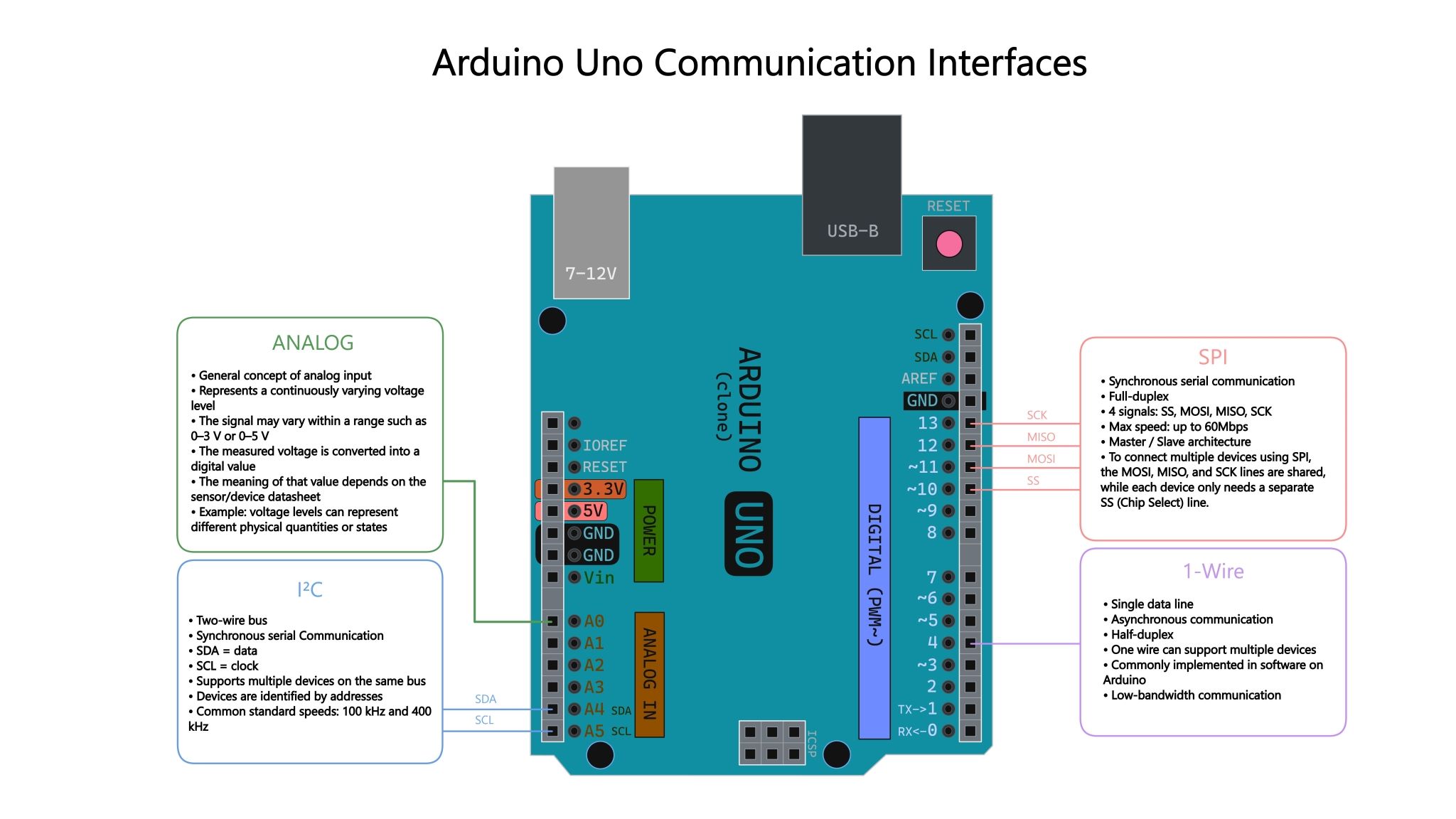
[IMAGE NEEDED: simple interface diagram showing analog vs I2C vs SPI vs 1-Wire/single-wire paths into Arduino]
1- DHT11/DHT22 Temperature and Humidity Sensor
DHT parts are common Temperature & Humidity sensors because they combine temperature and relative humidity measurement in one package and use a simple digital interface.
They are easy to integrate with Arduino Boards and similar microcontroller platforms. The main choice is whether the lower-cost DHT11 is enough or you need the wider range and better accuracy of DHT22.
| Model | Temperature Range | Temperature Accuracy | Humidity Range | Humidity Accuracy | Sampling Period | Best Fit |
|---|---|---|---|---|---|---|
| DHT11 | 0 to 50°C | ±2°C | 20 to 90% RH | ±5% | 1 second | Basic indoor monitoring |
| DHT22 | -40 to 80°C | ±0.5°C | 0 to 100% RH | ±2% | 2 seconds | Better range and accuracy |
DHT11
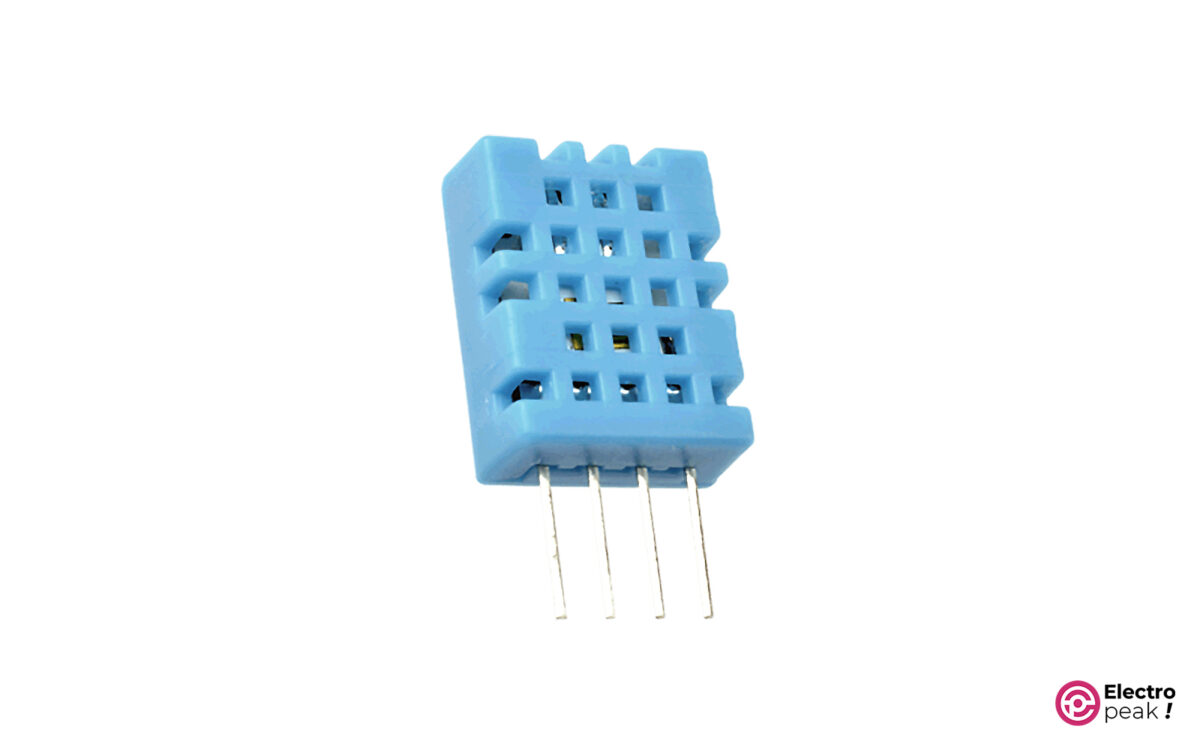
DHT11 is the entry-level option in this family. It is widely used for simple indoor temperature and humidity measurement where cost matters more than precision.
If you only need a quick room-condition sensor for a hobby build, it can be enough.
DHT11 Specifications
- Communication Protocol: single-wire
- Operating voltage range: 3.3 to 5.5 volts
- Temperature range: 0 to 50°C
- Resolution: 1°C
- Temperature accuracy: ±2°C
- Humidity range: 20 to 90% relative humidity (RH)
- Humidity accuracy: ±5%
- Sampling frequency: 1Hz (one sample per second)
For more details, see the Interfacing DHT11 temperature and humidity sensor with Arduino tutorial.
DHT22
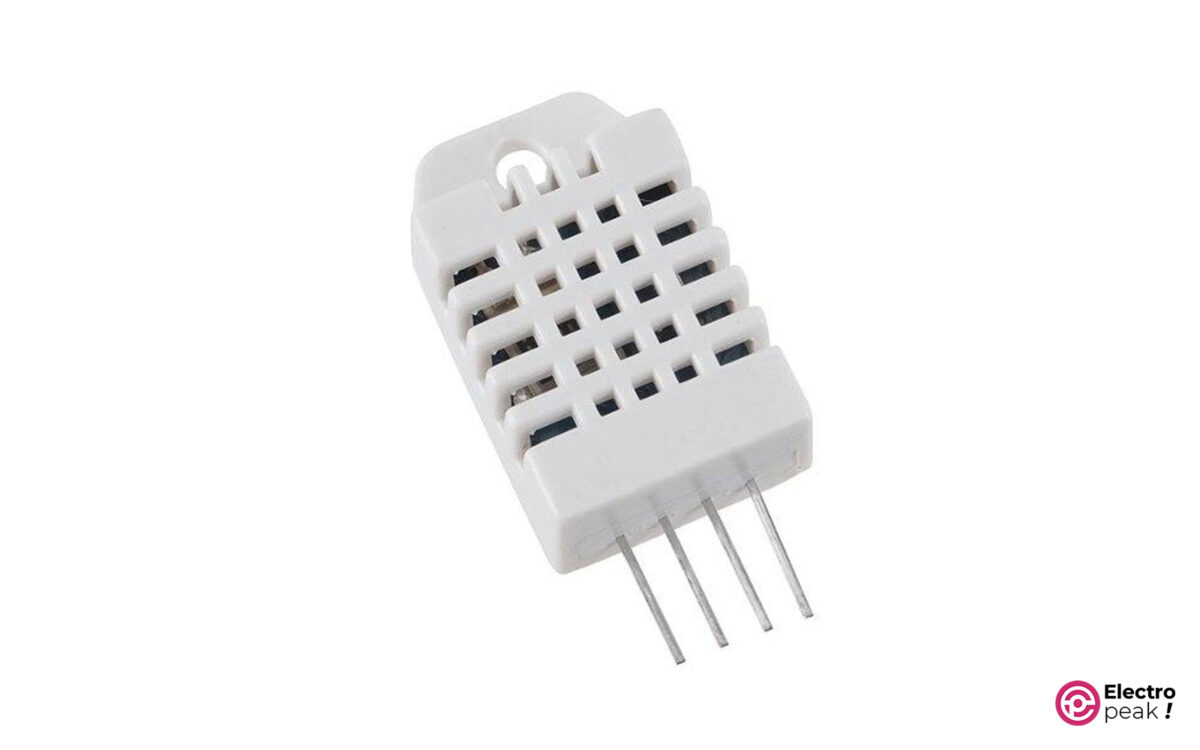
DHT22 is the better-known upgrade path from DHT11. It keeps the same general usage model but improves range and accuracy.
It is also known as AM2302 or RHT03.
DHT22 Specifications
- Communication Protocol: single-wire
- Operating voltage range: 3.3 to 6 volts
- Temperature range: -40 to 80°C
- Resolution: 0.1°C
- Temperature accuracy: ±0.5°C
- Humidity range: 0 to 100% relative humidity (RH)
- Humidity accuracy: ±2%
- Sampling frequency: 0.5Hz (one sample per two seconds)
For more details, see the Arduino guide for DHT11 and DHT22 temperature and humidity sensors.
Main Differences between DHT11 and DHT22
The main practical difference is measurement quality. DHT22 covers a wider temperature span and provides better temperature and humidity accuracy. DHT11 is cheaper and good enough for simple room monitoring.
DHT22 is usually the safer choice when the project may see colder, hotter, or more variable conditions.
Tip
Use DHT sensors for slow ambient monitoring, not fast control loops, because their sampling periods are limited to about 1 second for DHT11 and 2 seconds for DHT22.
Best For
DHT11 fits beginner projects, classroom demos, and simple indoor condition monitoring.
DHT22 fits low-cost projects that still need better accuracy and a wider operating range.
Limitations
DHT sensors are not the best choice for fast-changing temperature control. They are also not suited for immersion or condensation-heavy environments.
DHT11 has the weakest range and accuracy in this family.
Arduino Interface / Protocol
Both parts use a single-wire digital interface and are easy to connect to Arduino with one data pin.
In typical hobby projects, DHT sensors generally use one dedicated data line per sensor, unlike DS18B20 devices that can share a 1-Wire bus. For hardware options, you can use a bare DHT11 sensor for Arduino temperature and humidity projects, an AM2302 DHT22 sensor module for Arduino, or a bare DHT22 temperature and humidity sensor.
2- AM2320 Temperature and Humidity Sensor
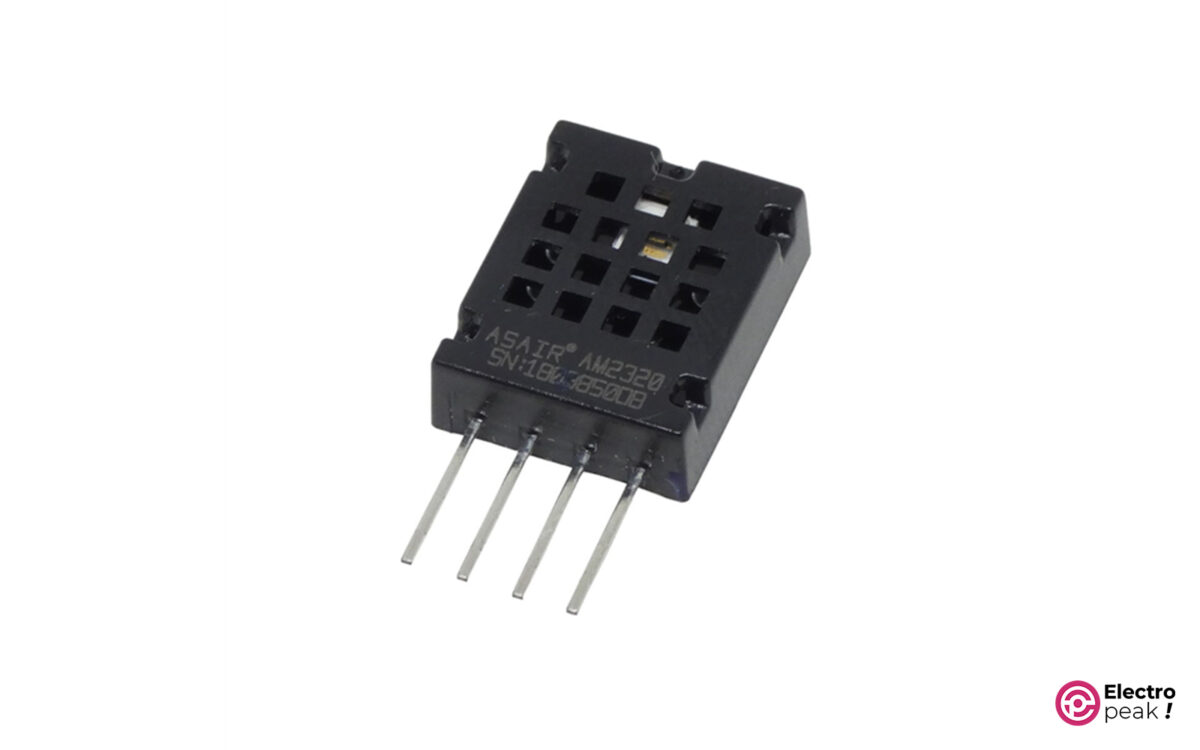
AM2320 serves a similar role to the DHT family, but it uses I2C instead of the DHT single-wire interface.
That makes it a reasonable option when your design already uses an I2C sensor bus.
AM2320 Specifications
- Communication Protocol: I2C
- Communication distance: up to 20 m
- Operating voltage range: 3.1 to 5.5 volts
- Accuracy: ±0.5°C and ±3% relative humidity
Best For
AM2320 fits Arduino projects that need temperature and humidity sensing on an I2C bus.
Limitations
Confirm the temperature range from the manufacturer’s datasheet before final selection.
Arduino Interface / Protocol
Use it as an I2C temperature and humidity sensor when you want shared-bus wiring instead of a dedicated DHT-style data line.
3- LM35 Temperature Sensor
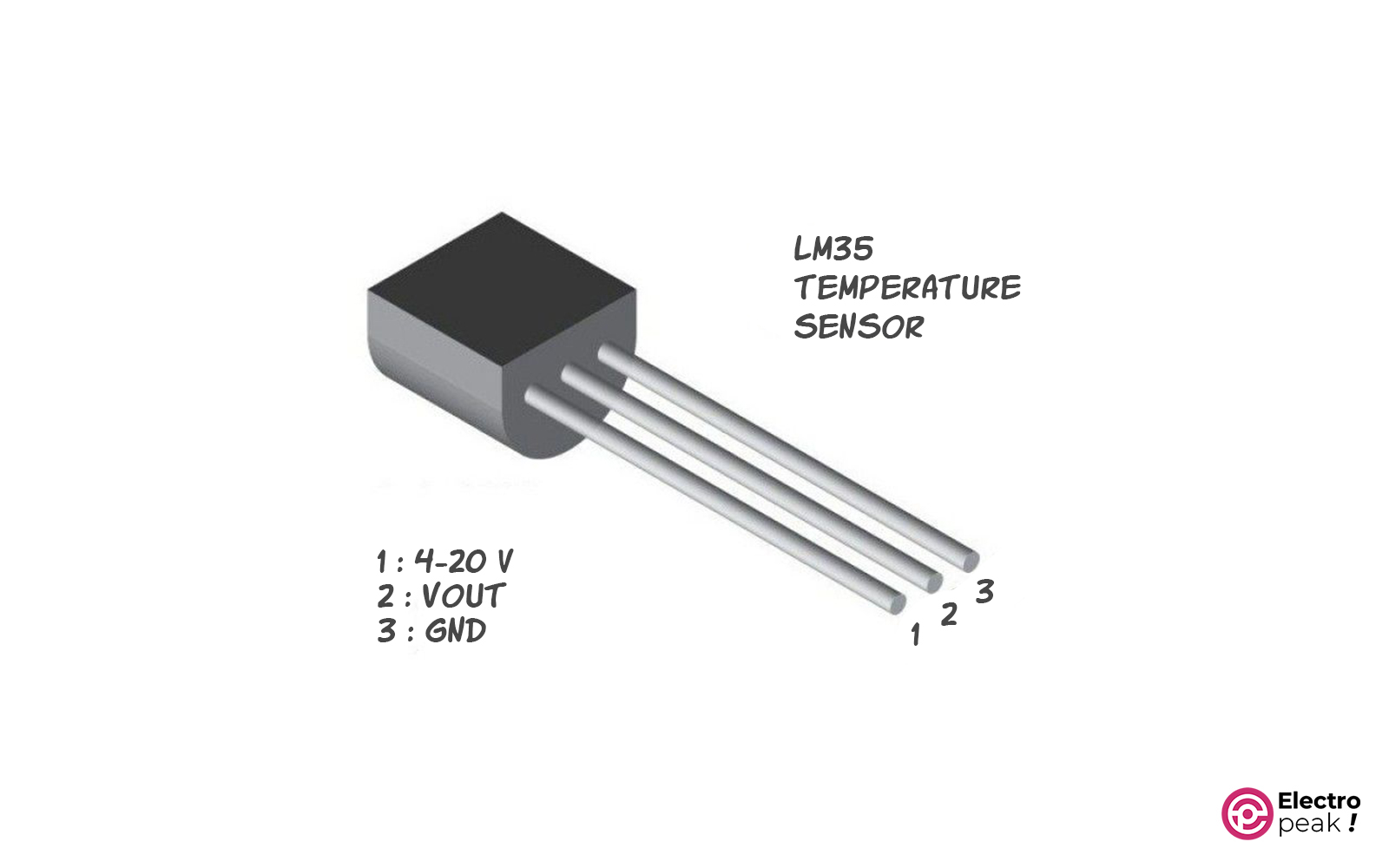
LM35 is a classic analog temperature sensor. It outputs a voltage proportional to temperature, so the Arduino reads it through an analog input.
That keeps the hardware simple, but reading quality depends on more than the sensor itself.
LMXX Specifications
- Output: analog voltage
- Operating voltage range: 4 to 30 volts
- Temperature range: -55 to 150°C
- Temperature accuracy: ±0.5°C (at 25°C)
- Communication with Arduino:
analogRead()
Different members of the family are calibrated to different units: LM35DZ in °C, LM335 in °K, and LM34 in °F. The output changes by 10mV per degree.
Info
Analog sensor resolution depends on the Arduino ADC and reference voltage, not just the sensor itself. The sensor may be linear, but the final reading step size comes from the whole measurement chain.
Typical current consumption is 60 µA, and self-heating is usually low enough to ignore in most applications.
For more details, see the LM35 guide and library resources linked below.
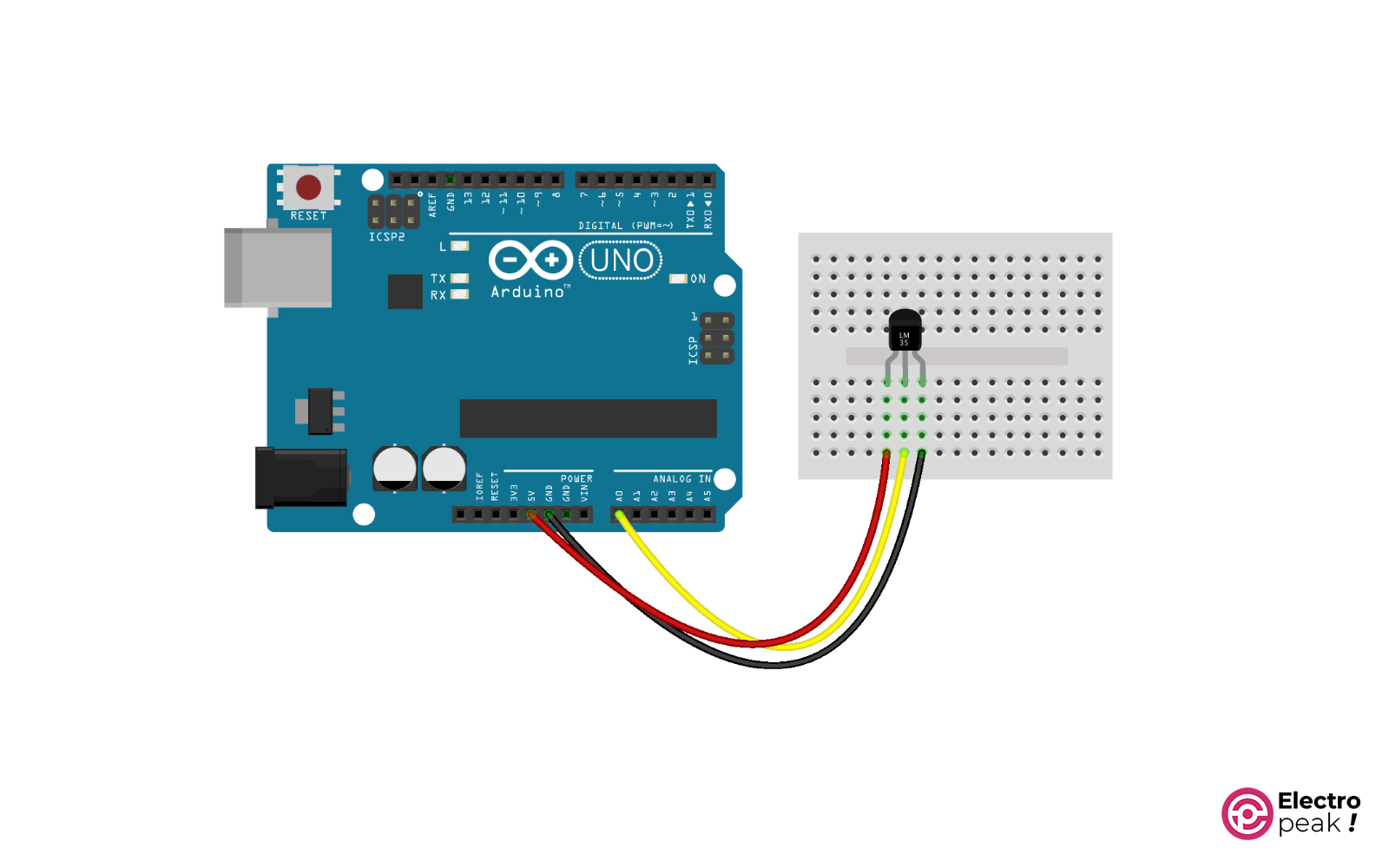
LM35 Sensor Wiring with Arduino
Connect the IC output pin to an Arduino analog input.
Best For
LM35 is a good fit when you want a simple temperature-only sensor with analog output and a wide range.
It is also practical when you want to use the sensor in analog circuits, not only with a microcontroller.
Limitations
Because it is analog, noise, ADC resolution, and reference voltage affect the final result. It also does not measure humidity or pressure.
Arduino Interface / Protocol
Read the output with an analog input using analogRead(). If you want the basic sensor or a board-level variant, the original article lists LM35DZ, LM335, and an LM35 module.
4- LM75 Temperature Sensor
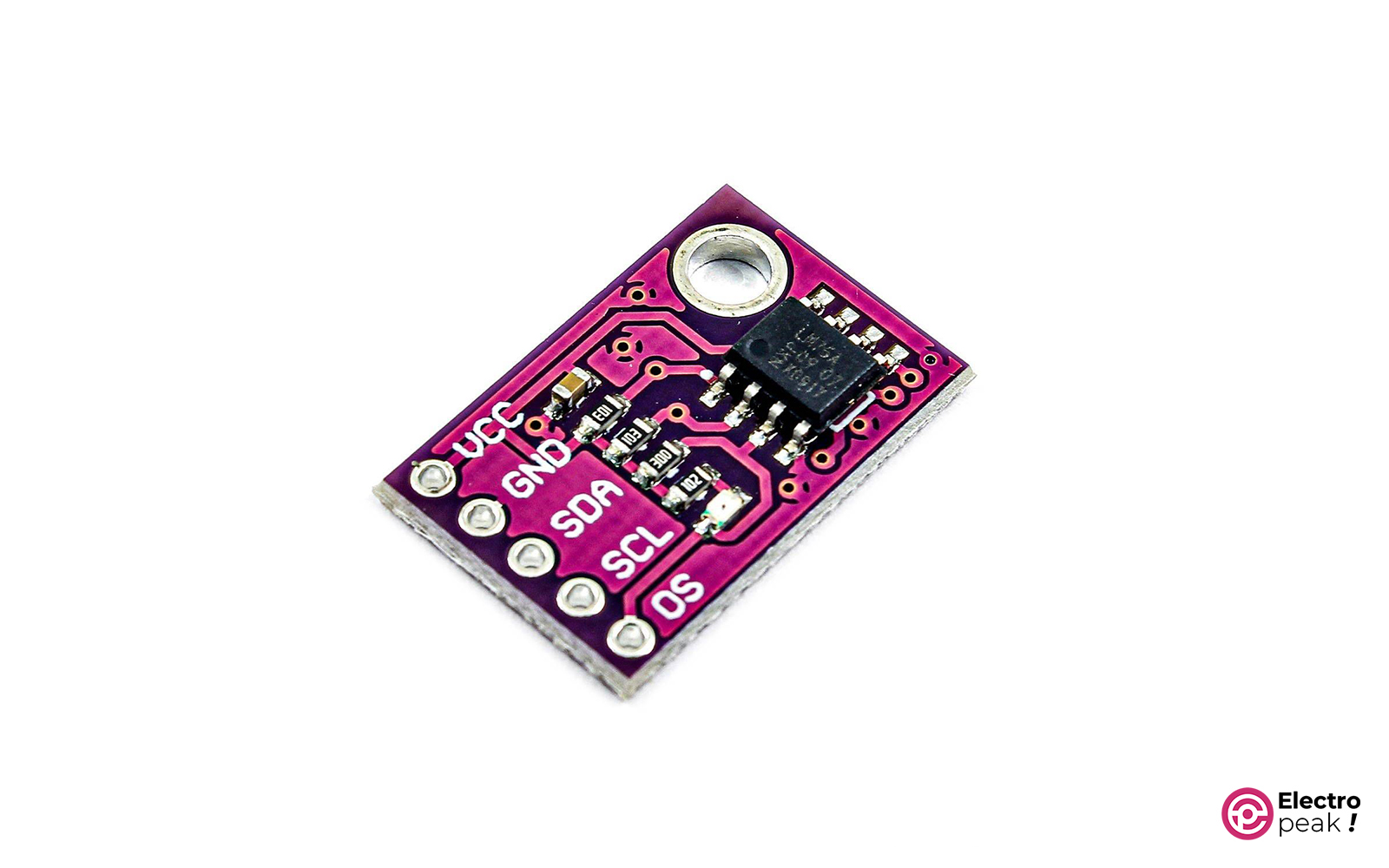
LM75 is the digital alternative to the analog-only LM35 style. It uses I2C, which makes it easier to integrate into a digital sensor bus.
It can also act as a thermoswitch by switching pins for alarm-related use.
LM75 Specifications
- Communication Protocol: I2C
- Operating voltage range: 3 to 5.5 volts
- Temperature measurement range: -55 to 125°C
- Measurement accuracy: ±2°C (over the full measurement range)
- Current consumption when active: usually 250 µA (1 mA at most)
For more details, see the LM75 temperature sensor Arduino interfacing guide.
Best For
LM75 fits temperature-only digital projects where you want I2C wiring instead of analog measurement.
Limitations
It does not measure humidity or pressure, and its stated accuracy is not as strong as some other digital parts in this list.
Arduino Interface / Protocol
Connect it over I2C using SDA and SCL.
5- BMP180 Pressure and Temperature Sensor
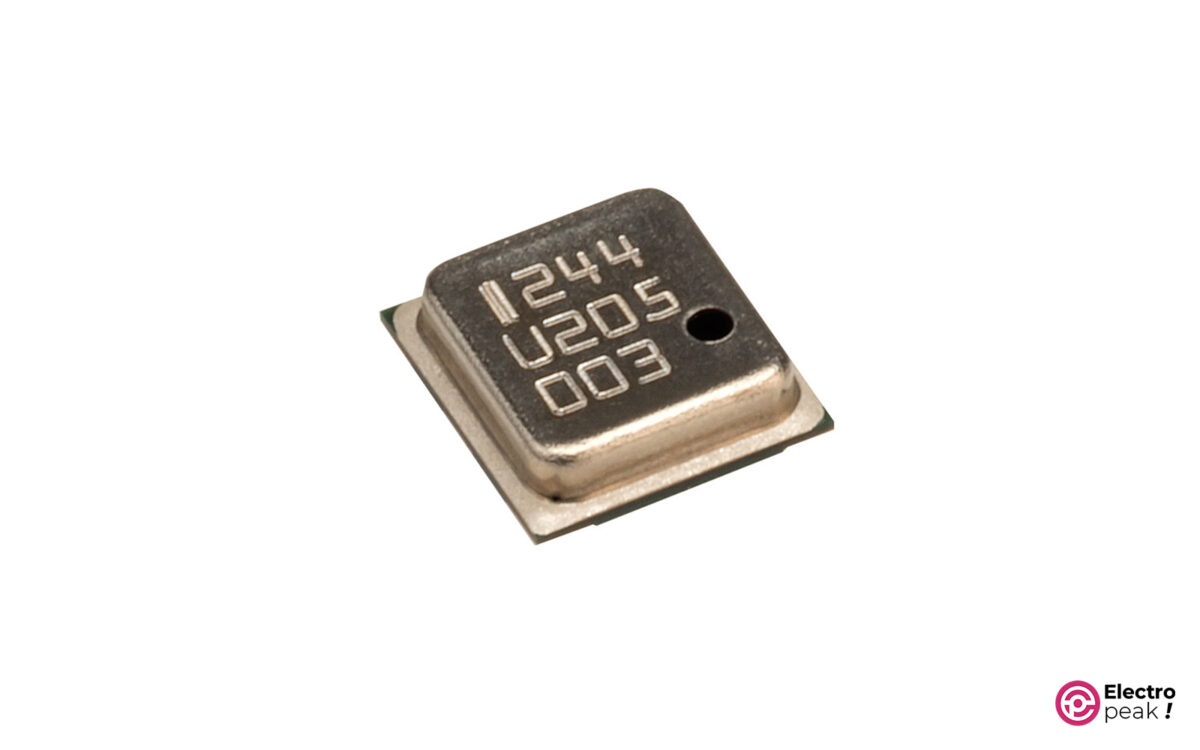
BMP180 is mainly a pressure sensor, but it also provides temperature data. That makes it useful in weather and altitude-related projects where pressure is the main measurement and temperature comes with it.
BMP180 Specifications
- Communication protocol: I2C
- Operating voltage range: 1.8 to 3.6 volts (sensor chip) / 3.3 to 5 volts (sensor module)
- Temperature range: 0 to 65°C
- Temperature accuracy: ±1°C
For more details, see the BMP180 pressure and temperature sensor Arduino guide.
Best For
BMP180 fits weather monitoring, barometric sensing, and projects where you need pressure first and temperature second.
Limitations
Its temperature range is narrower than that of many temperature-focused sensors, and it does not measure humidity.
Arduino Interface / Protocol
Use I2C. The sensor chip supply range (1.8 to 3.6 V) differs from the module supply range (3.3 to 5 V), which matters when choosing a breakout board.
6- TMP35/36/37 Series Temperature Sensor
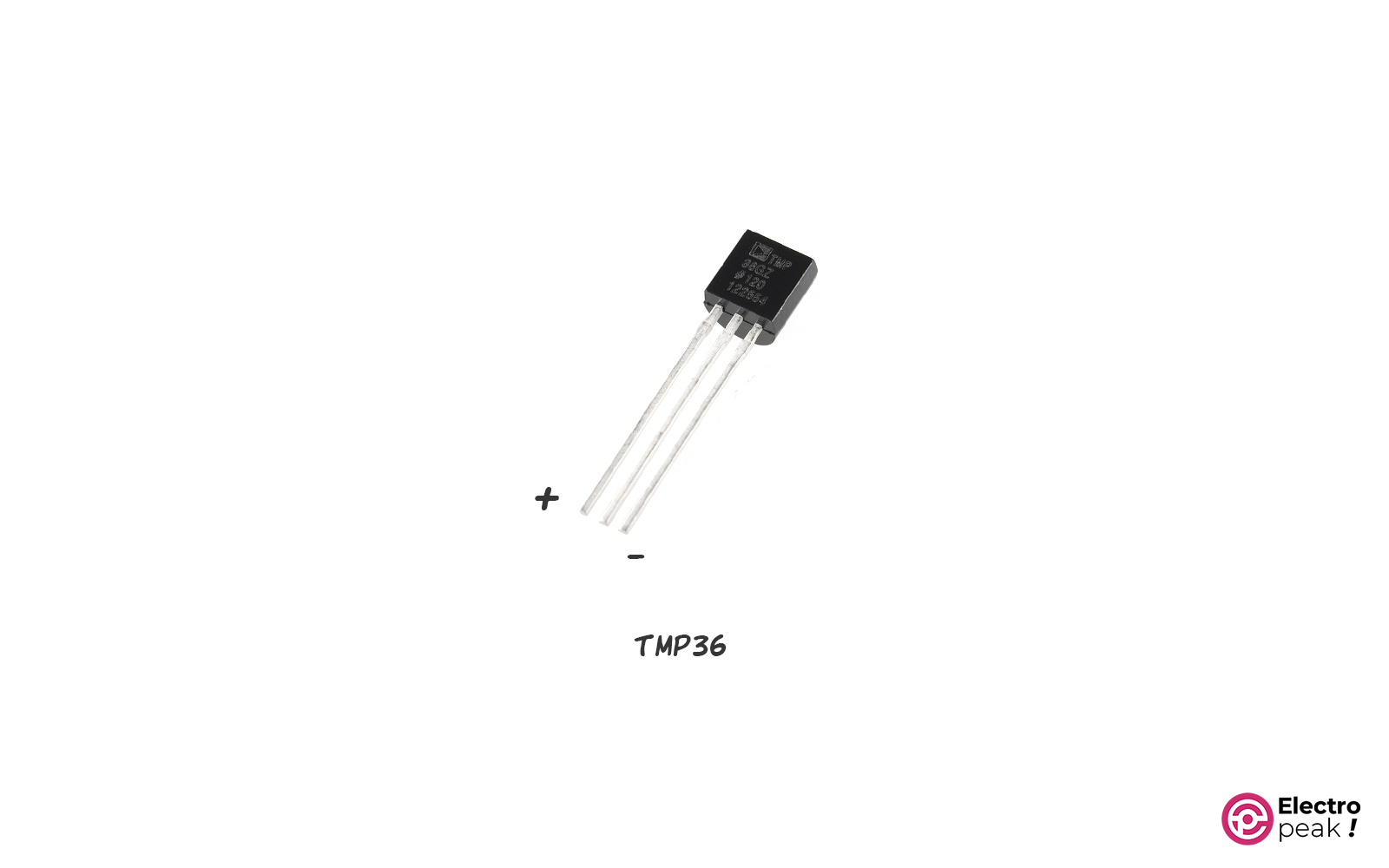
TMP35, TMP36, and TMP37 are analog temperature sensors in the same general category as LM35.
The main differences are their output characteristics and supported measurement ranges.
TMP35 Specifications
- Output type: analog voltage
- Operating voltage: 2.7 to 5.5 volts
- Temperature range: 10 to 125°C
- Output at 25°C: 250 mV
- Voltage-to-temperature ratio: 10 mV/°C
- Temperature accuracy: ±1°C (at 25°C)
- Communication with Arduino:
analogRead()
TMP36 Specifications
- Output type: analog voltage
- Operating voltage: 2.7 to 5.5 volts
- Temperature range: -40 to 125°C
- Output at 25°C: 750 mV
- Voltage-to-temperature ratio: 10 mV/°C
- Temperature accuracy: ±1°C (at 25°C)
- Communication with Arduino:
analogRead()
TMP37 Specifications
- Output type: analog voltage
- Operating voltage: 2.7 to 5.5 volts
- Temperature range: 5 to 100°C
- Output at 25°C: 500 mV
- Voltage-to-temperature ratio: 20 mV/°C
- Temperature accuracy: ±1°C (at 25°C)
- Communication with Arduino:
analogRead()
Specifications by part:
- TMP35: 250mV output at 25°C and 10 to 125°C range
- TMP36: 750mV output at 25°C and -40 to 125°C range
- TMP37: 500mV output at 25°C and 5 to 100°C range
- TMP37 voltage-to-temperature ratio: 20mV/°C
- TMP36 is stated to have 10mV/°C, just like LM35
For more details, see the TMP36 temperature sensor Arduino tutorial.
Best For
These sensors fit low-voltage analog temperature measurement where simple hardware matters more than bus-based digital interfacing.
Limitations
As with LM35, the result depends on ADC quality, noise, and reference voltage. They are also temperature-only parts.
Arduino Interface / Protocol
Connect the output to an Arduino analog input and read it with analogRead().
7- BME280 Pressure, Humidity, and Temperature Sensor
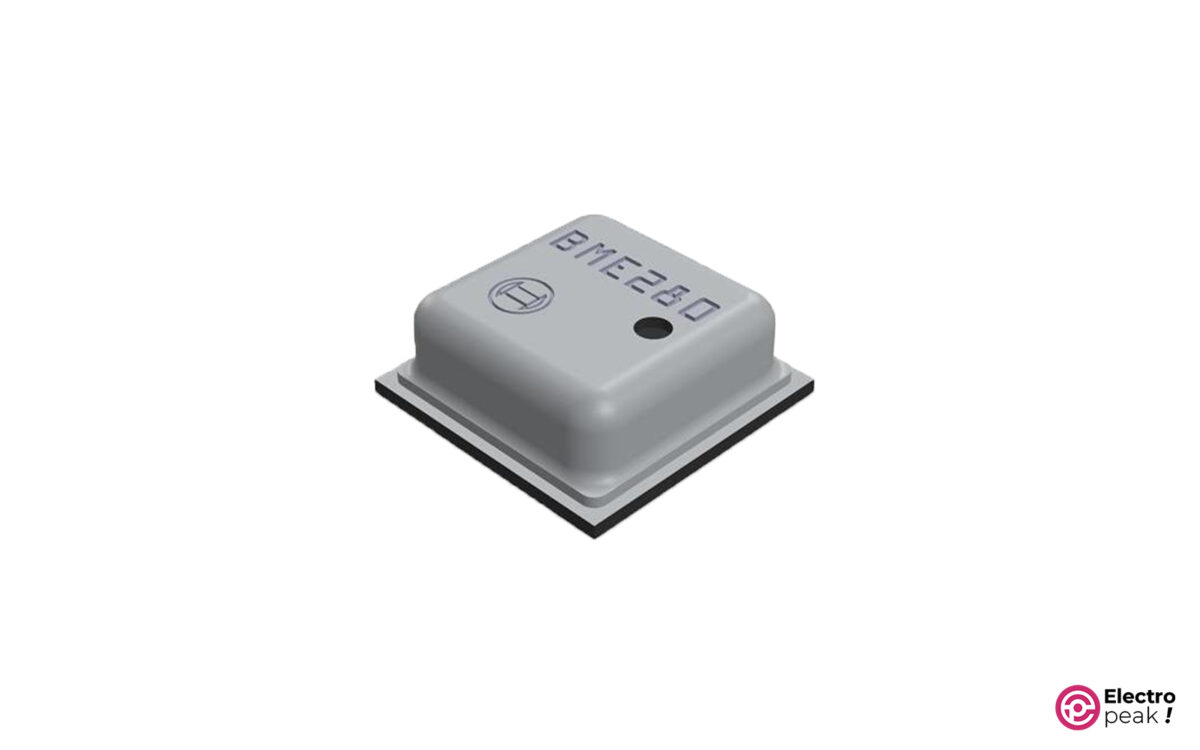
BME280 is one of the most flexible sensors in this list because it measures temperature, humidity, and pressure in one device.
It is a strong choice when temperature alone is not enough and you want either I2C or SPI.
BME280 Specifications
- Communication protocol: I2C and SPI
- Operating voltage range: 1.71 to 3.6 volts (sensor chip) / 3.3 to 5 volts (sensor module)
- Temperature range: -40 to 85°C
- Temperature accuracy: ±1°C
For more details, see the BME280 module Arduino interfacing tutorial.
Best For
BME280 is a good fit for weather stations, building monitoring, and smart-home style projects where temperature alone is not enough.
Limitations
It is not waterproof, and the source material does not position it for wet or harsh exposure.
Arduino Interface / Protocol
You can use either I2C or SPI. In this guide, it is the only listed sensor explicitly described as supporting SPI, which can matter if your I2C bus is already crowded.
8- DS18B20 Temperature Sensor
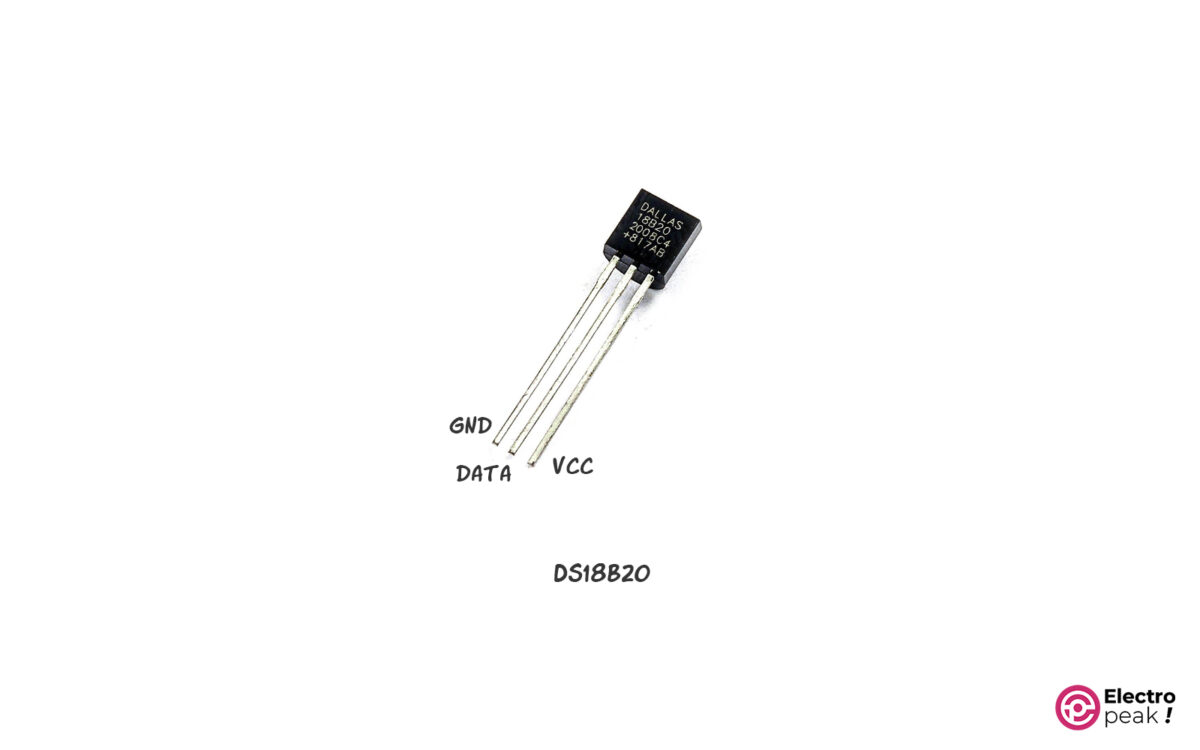
DS18B20 is a digital temperature-only sensor with a wide measurement range and 9- to 12-bit resolution.
It stands out for two reasons: you can place multiple sensors on one 1-Wire bus, and it is widely available in waterproof probe form.
DS18B20 Specifications
- Communication protocol: 1-Wire
- Operating voltage: 3 to 5.5 volts
- Temperature range: -55 to +125°C
- Output resolution: 9 to 12 bits
- Temperature accuracy: ±0.5°C (between -10 to 85°C)
For more details, see the DS18B20 temperature sensor with Arduino tutorial and the DS18B20 temperature module with Arduino guide.
Warning
Non-waterproof DS18B20 sensor bodies and breakout modules are not suitable for immersion or condensation-heavy environments. Use the waterproof probe version when the sensor will contact water or stay in wet outdoor conditions
Best For
DS18B20 is a strong choice for liquid temperature measurement, outdoor probing, distributed sensing, and multi-point monitoring.
Limitations
It only measures temperature. If you also need humidity or pressure, look at other digital sensor families.
Tip
Multiple DS18B20 sensors can share one 1-Wire bus because each device has its own 64-bit serial code. That makes multi-point monitoring possible on a single Arduino data pin
Arduino Interface / Protocol
Use a 1-Wire style digital connection. If the project involves water tanks, pipes, or outdoor probes, a waterproof DS18B20 temperature probe for Arduino is the practical form factor.
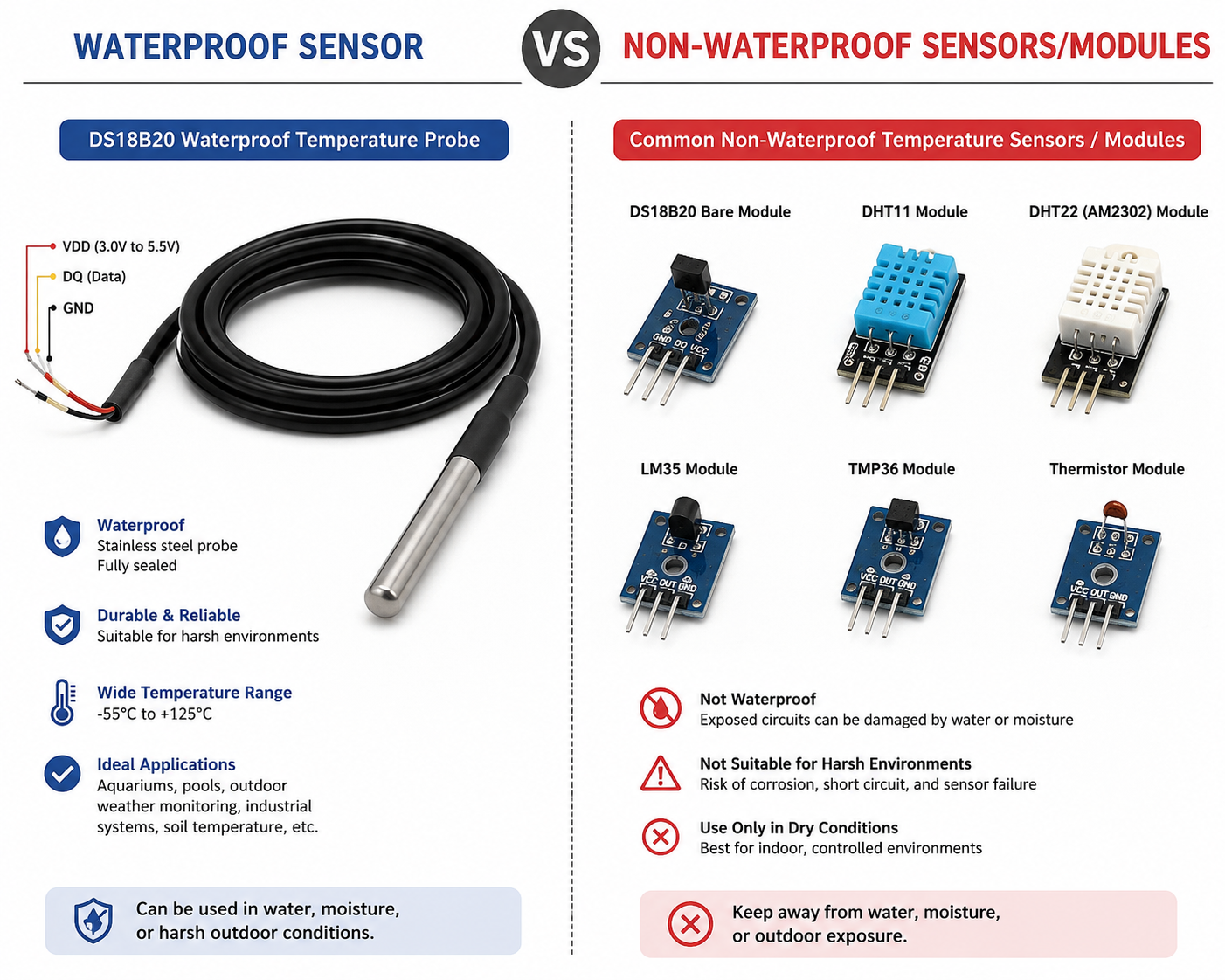
[IMAGE NEEDED: waterproof vs non-waterproof sensor example comparing DS18B20 probe to exposed modules]
9- SHTC1 Temperature and Humidity Sensor Module
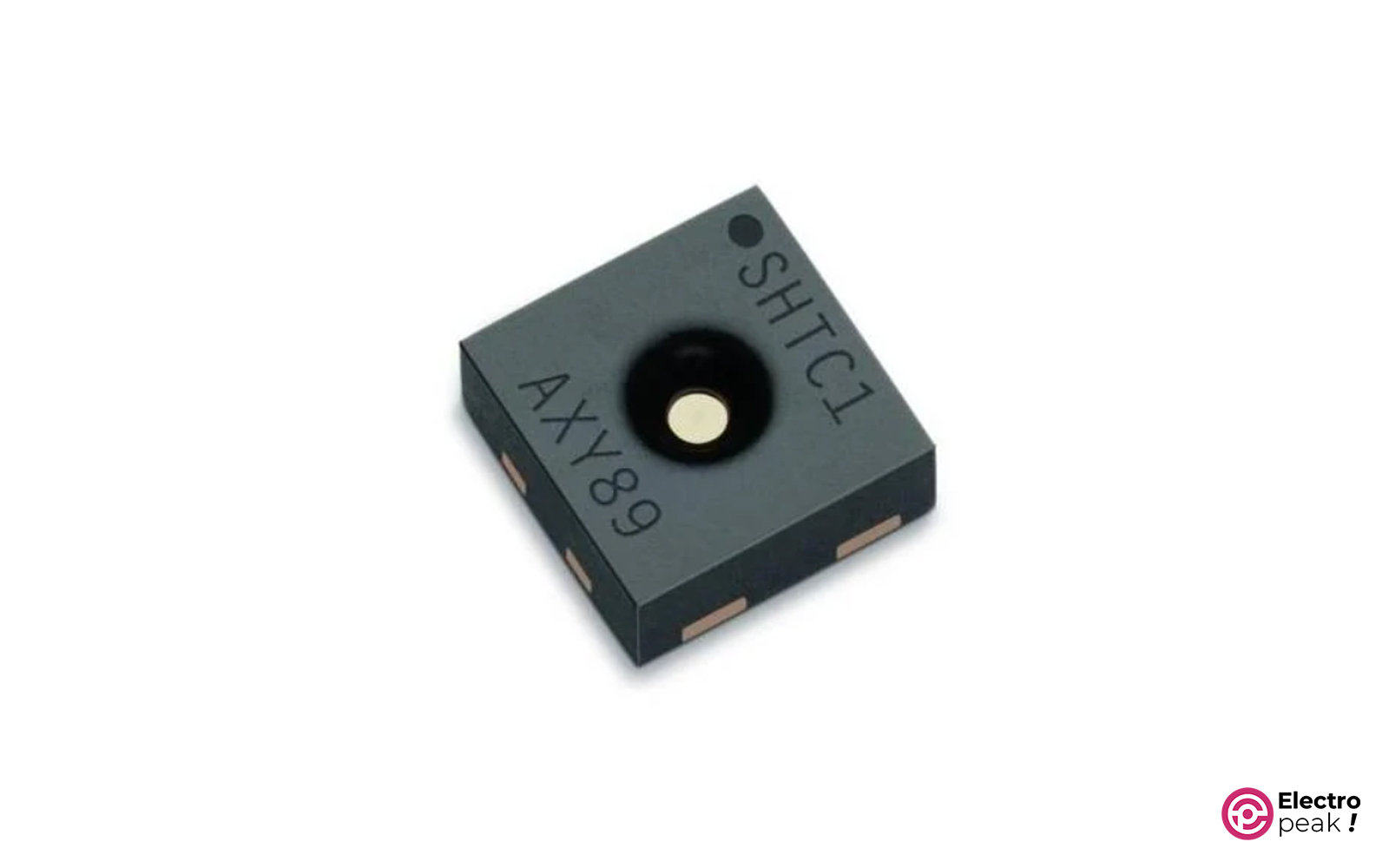
SHTC1 is a digital I2C sensor for temperature and humidity measurement. It is designed for low power use and has a small footprint.
That makes it a practical option for compact or portable designs.
SHTC1 Specifications
- Communication protocol: I2C
- Operating voltage: 1.62 to 3.6 volts
- Temperature range: -30 to 100°C
- Humidity range: 0 to 100% relative humidity
- Accuracy: ±0.3°C and ±3% relative humidity
Best For
SHTC1 fits low-power and space-constrained designs that still need both temperature and humidity.
Limitations
The chip operates at 1.62 to 3.6 V, so confirm module-level supply details when buying a breakout.
Arduino Interface / Protocol
Use I2C.
10- SHT3X Temperature and Humidity Digital Sensor
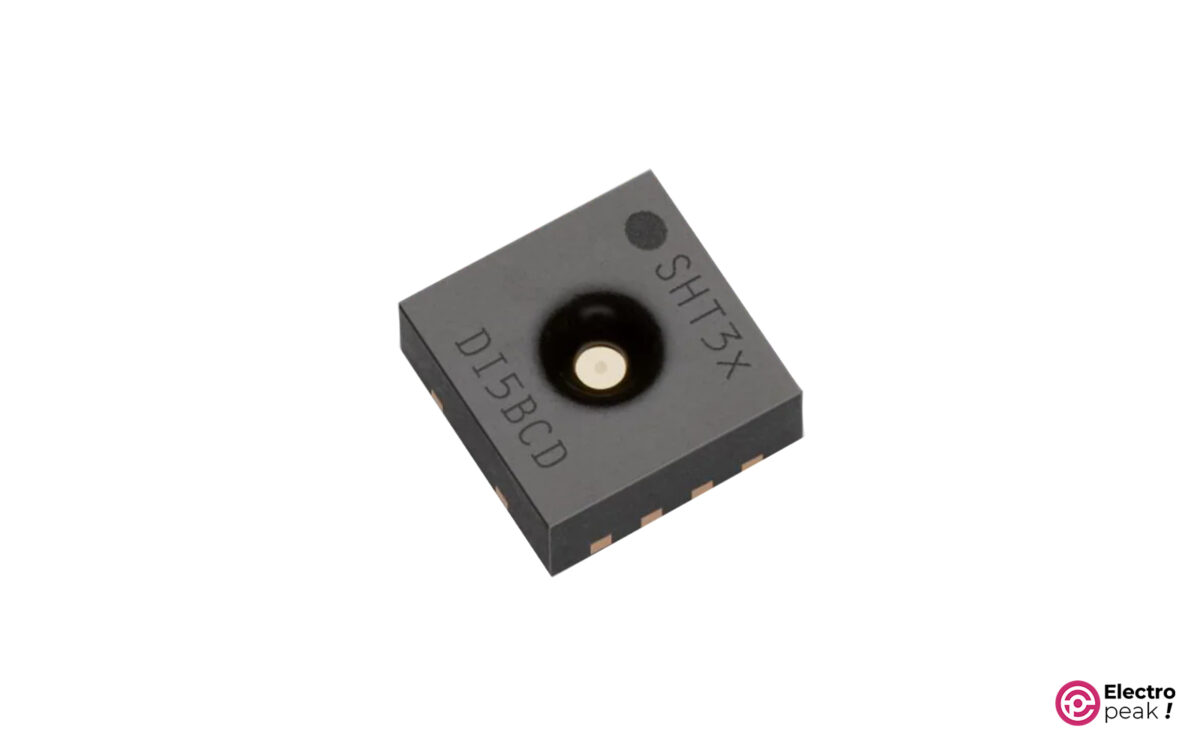
SHT3X is a higher-performance digital temperature and humidity family with I2C communication.
It supports selectable I2C addresses and communication speeds up to 1 MHz.
SHT30 Specifications
- Communication protocol: I2C
- Operating voltage: 2.4 to 5.5 volts
- Temperature range: 0 to 65°C
- Humidity range: 0 to 100% relative humidity
- Accuracy: ±0.3°C and ±2% RH
SHT31 Specifications
- Communication protocol: I2C
- Operating voltage: 2.4 to 5.5 volts
- Temperature range: -40 to 90°C
- Humidity range: 0 to 100% relative humidity
- Accuracy: ±0.2°C and ±2% RH
SHT35 Specifications
- Communication protocol: I2C
- Operating voltage: 2.4 to 5.5 volts
- Temperature range: -40 to 90°C
- Humidity range: 0 to 100% relative humidity
- Accuracy: ±0.2°C and ±1.5% RH
For more details, see the SHT35 temperature and humidity sensor with Arduino guide and the related SHT30 Arduino interfacing tutorial.
Best For
SHT3X fits projects that need stronger humidity and temperature performance than entry-level DHT sensors.
Limitations
Performance and temperature range depend on the exact family member.
Arduino Interface / Protocol
Use I2C and choose the proper variant for the temperature range you need.
11- AHT15/AHT10 Temperature and Humidity Digital Sensor Module
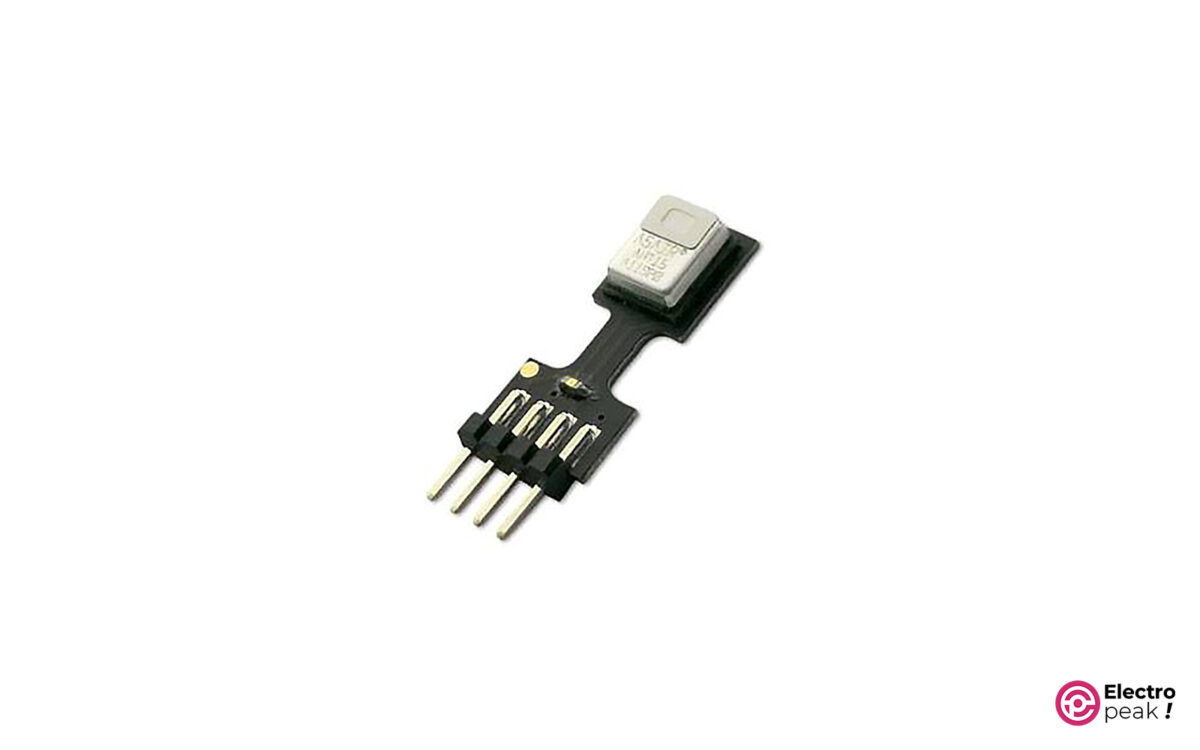
It’s another family of digital sensors for measuring temperature and humidity, which uses an I2C communication protocol. They are also internally calibrated and linear.
AHT15 is a compact digital sensor for indoor or protected environments. For wet or dusty conditions, use the AHT20-F variant with membrane filtering instead.
AHT10/AHT15 Specifications
- Communication protocol: I2C
- Operating voltage: 1.8 to 3.6 volts
- Temperature range: -40 to 85°C
- Humidity range: 0 to 100% relative humidity
- Accuracy: ±0.3°C and ±2% relative humidity
Best For
These sensors fit compact digital temperature and humidity projects, especially when low-voltage operation matters.
Limitations
The source gives family-level specs, so confirm the exact module version you buy.
Arduino Interface / Protocol
Use I2C.
12- HTU21D Temperature and Humidity Digital Sensor
HTU21D(F) is another I2C temperature and humidity sensor. It includes internal calibration, an electronic identification code, and configurable humidity resolution.
It also mentions a PTFE-type filter frame for protection against dirt and water.
HTU21D Specifications
- Communication protocol: I2C
- Operating voltage: 1.5 to 3.6 volts
- Temperature range: -40 to 125°C
- Humidity range: 0 to 100% relative humidity
- Accuracy: ±0.3°C and ±2% relative humidity
Best For
HTU21D is a general-purpose temperature and humidity sensor when you want I2C and low-voltage operation.
Limitations
The source does not position it as an immersion or exposed wet-environment sensor.
Arduino Interface / Protocol
Use I2C.
13- SI7021 Temperature and Humidity Digital Sensor
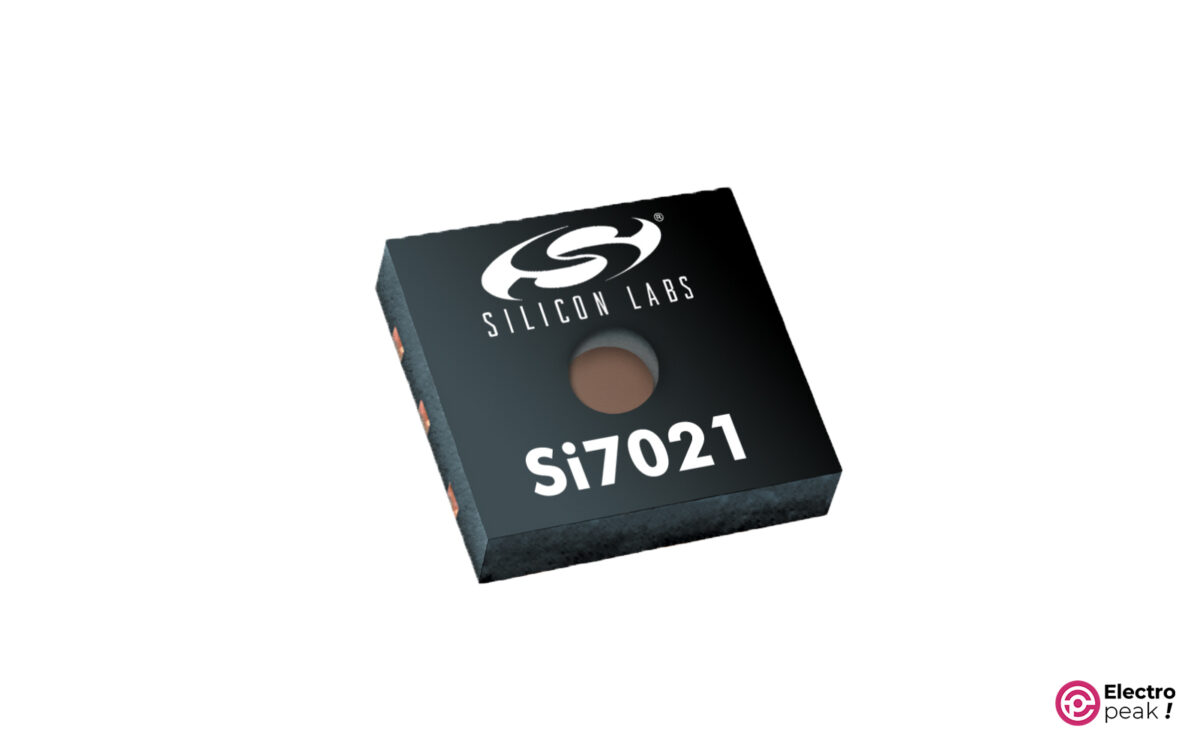
SI7021 is an I2C digital temperature and humidity sensor with calibration data stored in non-volatile memory on the chip.
Common applications include thermostats, humidity meters, weather forecasting, and mobile devices.
SI7021 Specifications
- Communication protocol: I2C
- Operating voltage: 1.9 to 3.6 volts
- Temperature range: -40 to 125°C
- Humidity range: 0 to 100% relative humidity
- Accuracy: ±0.4°C and ±2% relative humidity
For more details, see the Interfacing SI7021 Module with Arduino.
Best For
SI7021 fits thermostats and other compact digital temperature and humidity designs.
Limitations
It does not provide pressure measurement.
Arduino Interface / Protocol
Use I2C.
14- Thermocouple
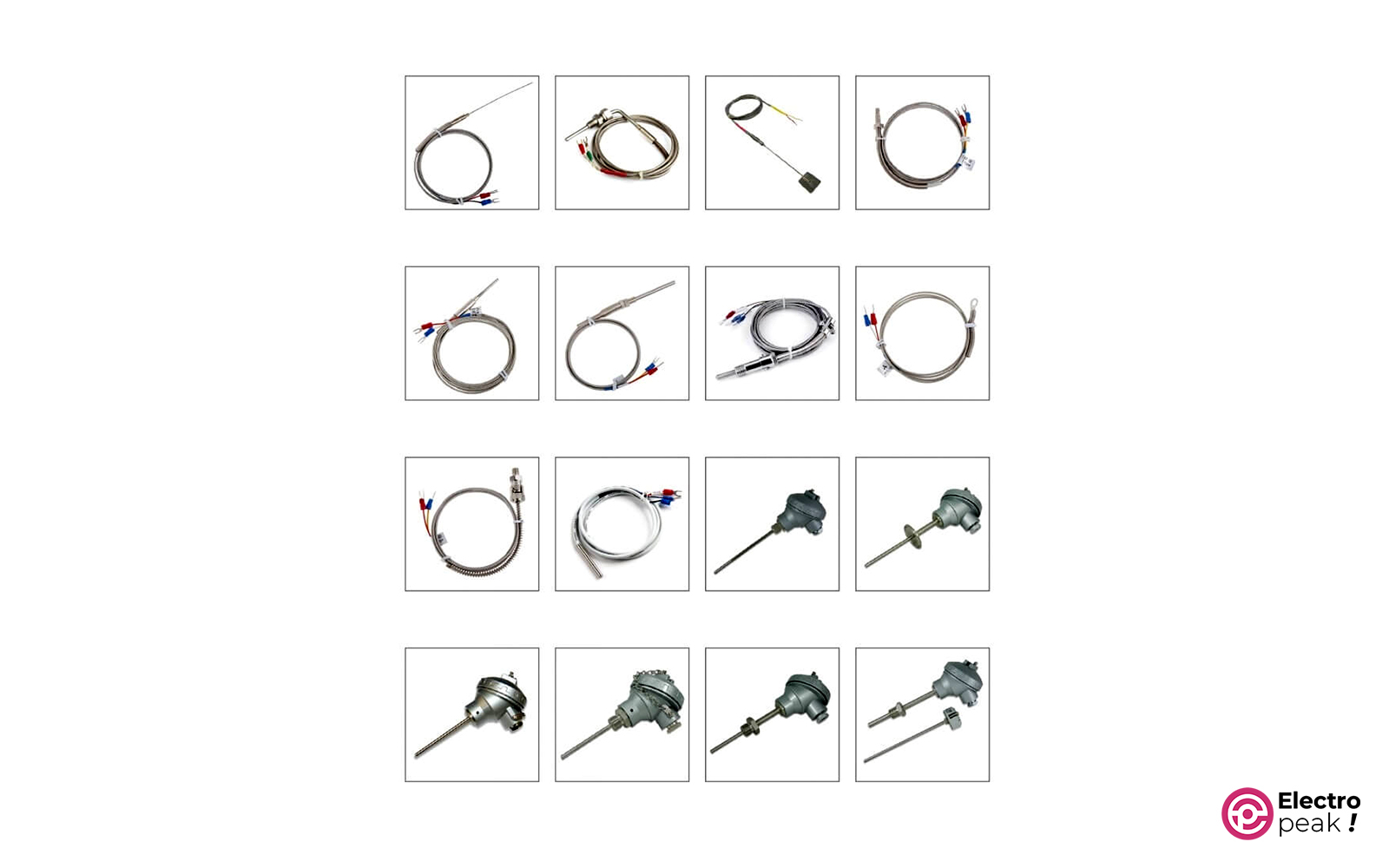
Thermocouples are widely used where the temperature range goes beyond what common IC sensors can handle. They are common in industry and still useful in electronic projects when higher temperatures are involved.
They produce an analog voltage and often need an interface circuit such as the MAX6675 thermocouple module.
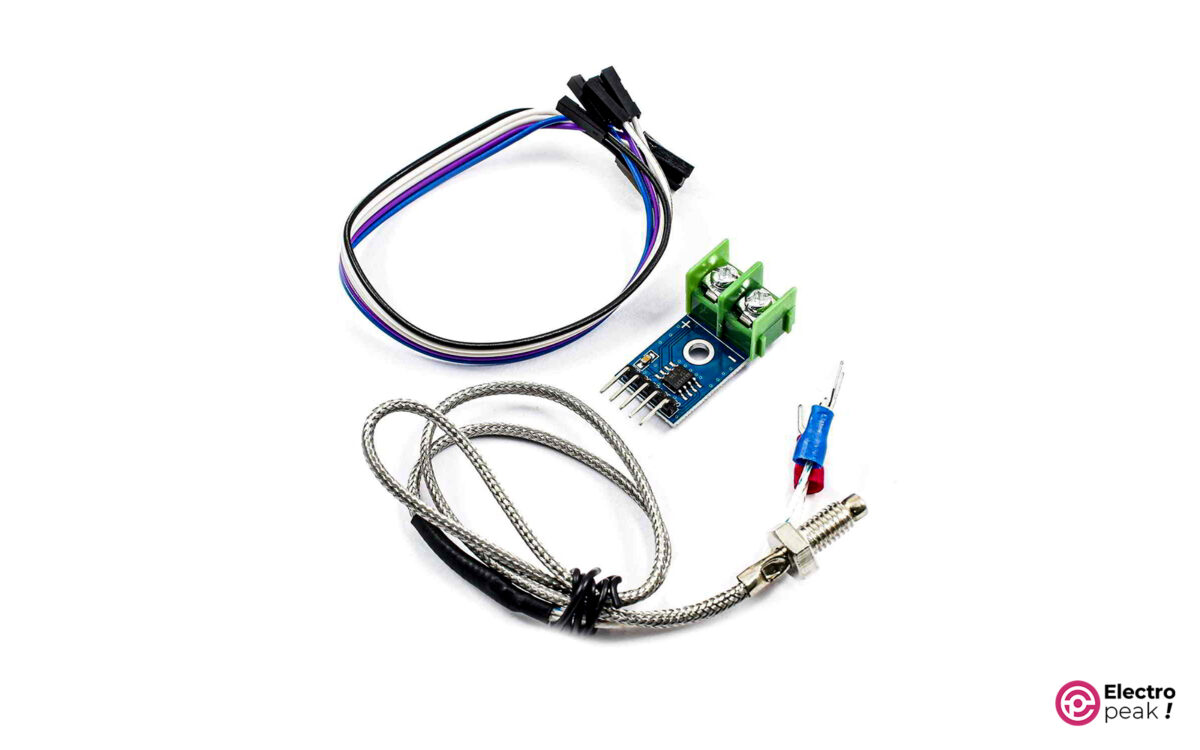
For more details, see the MAX6675 thermocouple module with Arduino tutorial.
Best For
Thermocouples fit furnace measurement, hot-fluid measurement, and other high-temperature sensing jobs.
Limitations
They typically need extra interface hardware and are less convenient than simple digital IC sensors for ambient monitoring.
Arduino Interface / Protocol
Arduino interfacing is typically done through an interface module such as MAX6675 rather than by reading the thermocouple directly.
15- RTD Sensors
Resistance temperature detectors such as PT100 are another industrial-style sensor family. PT100 is the most widely known RTD sensor.
They are relevant when you want a resistance-based sensing approach instead of a direct digital IC.
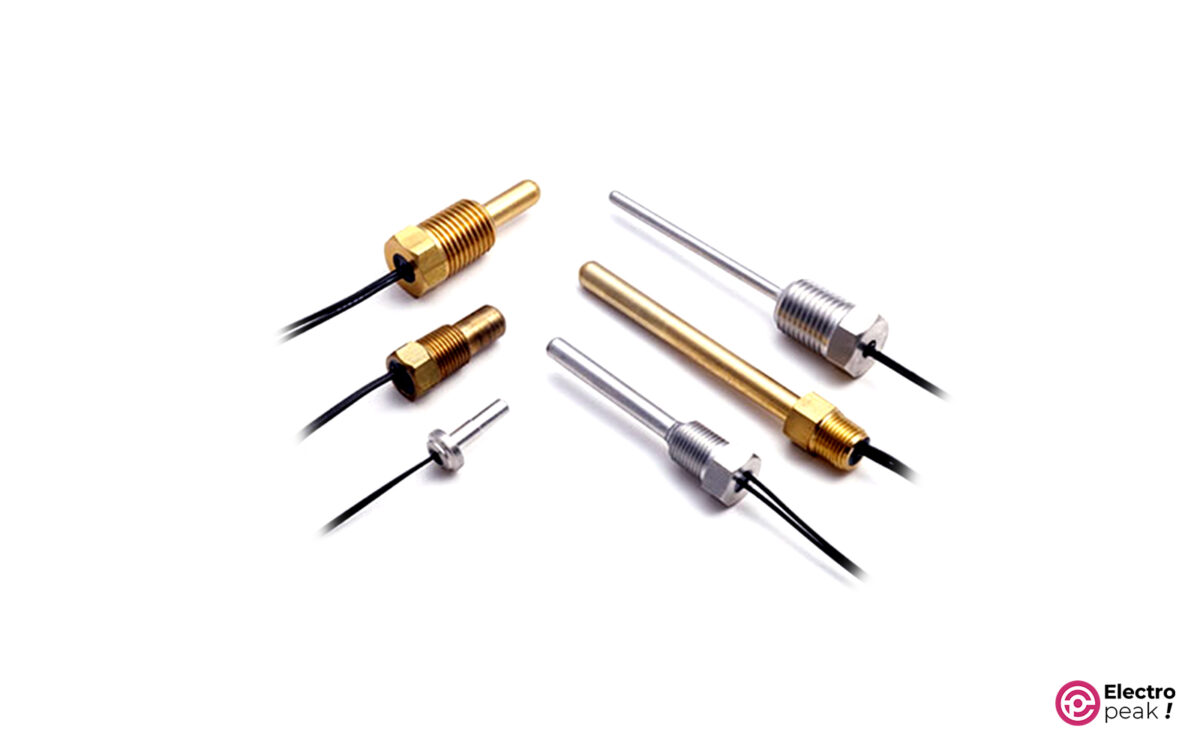
Interfacing PT100 Sensors with Arduino
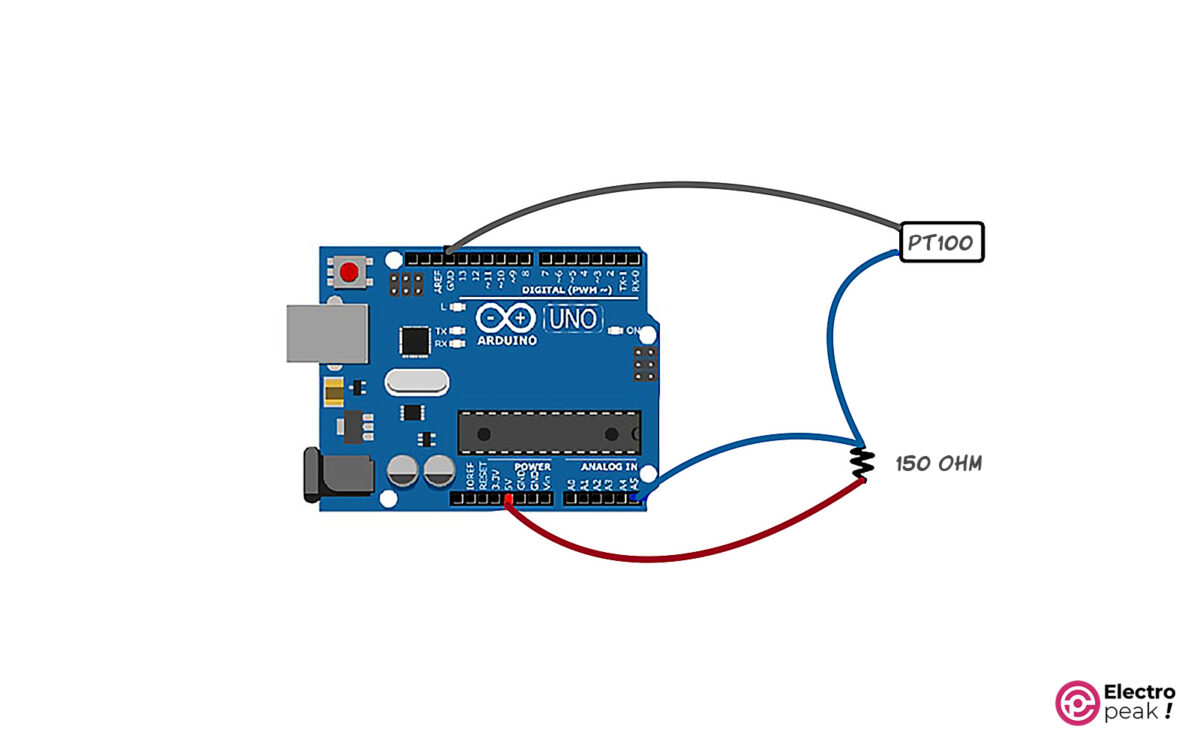
PT100 does not produce a usable voltage output by itself. It requires interface circuitry — such as a Wheatstone bridge, constant current source, or an amplifier module — to convert its resistance change into a voltage that the Arduino ADC can measure. The wiring diagram below shows one such interface circuit. Connect the conditioned output to an analog pin such as A0.
Best For
RTD sensors fit industrial and precision-oriented temperature measurement.
Limitations
They usually need more interface attention than simpler hobby-ready digital modules.
Arduino Interface / Protocol
PT100 interfacing shown here uses an analog input approach, but the RTD itself requires interface circuitry to convert resistance change into a measurable signal.
Conclusion
The best Arduino temperature sensor depends more on the job than on any single spec.
If you need the easiest beginner option, start with DHT11. If you want better temperature and humidity accuracy, DHT22 is the stronger low-cost choice. If the sensor must touch water or work in wet outdoor conditions, DS18B20 in waterproof probe form is the practical answer. If you need temperature, humidity, and pressure together, BME280 is the most flexible choice in this list. For simple analog measurement, LM35 still makes sense. For temperatures above what common IC sensors handle well, look at thermocouples.
| Rank / Scenario | Best Sensor | Measures | Interface | Why It Ranks Here | Main Limitation |
|---|---|---|---|---|---|
| 1 / Best beginner indoor sensor | DHT11 | Temperature, humidity | Single-wire | Cheap, simple, common | Lower accuracy and narrower range |
| 2 / Best low-cost upgrade | DHT22 | Temperature, humidity | Single-wire | Better range and accuracy than DHT11 | Slower sampling period |
| 3 / Best waterproof option | DS18B20 waterproof probe | Temperature | 1-Wire | Good range, digital output, wet-environment suitability | No humidity or pressure |
| 4 / Best weather-station option | BME280 | Temperature, humidity, pressure | I2C / SPI | Three measurements in one device | Not waterproof |
| 5 / Best simple analog sensor | LM35 | Temperature | Analog voltage | Easy analog interfacing, wide range | ADC quality affects result |
| 6 / Best high-temperature path | Thermocouple | Temperature | Interface-module dependent | Suited for much hotter environments | Extra interface hardware needed |
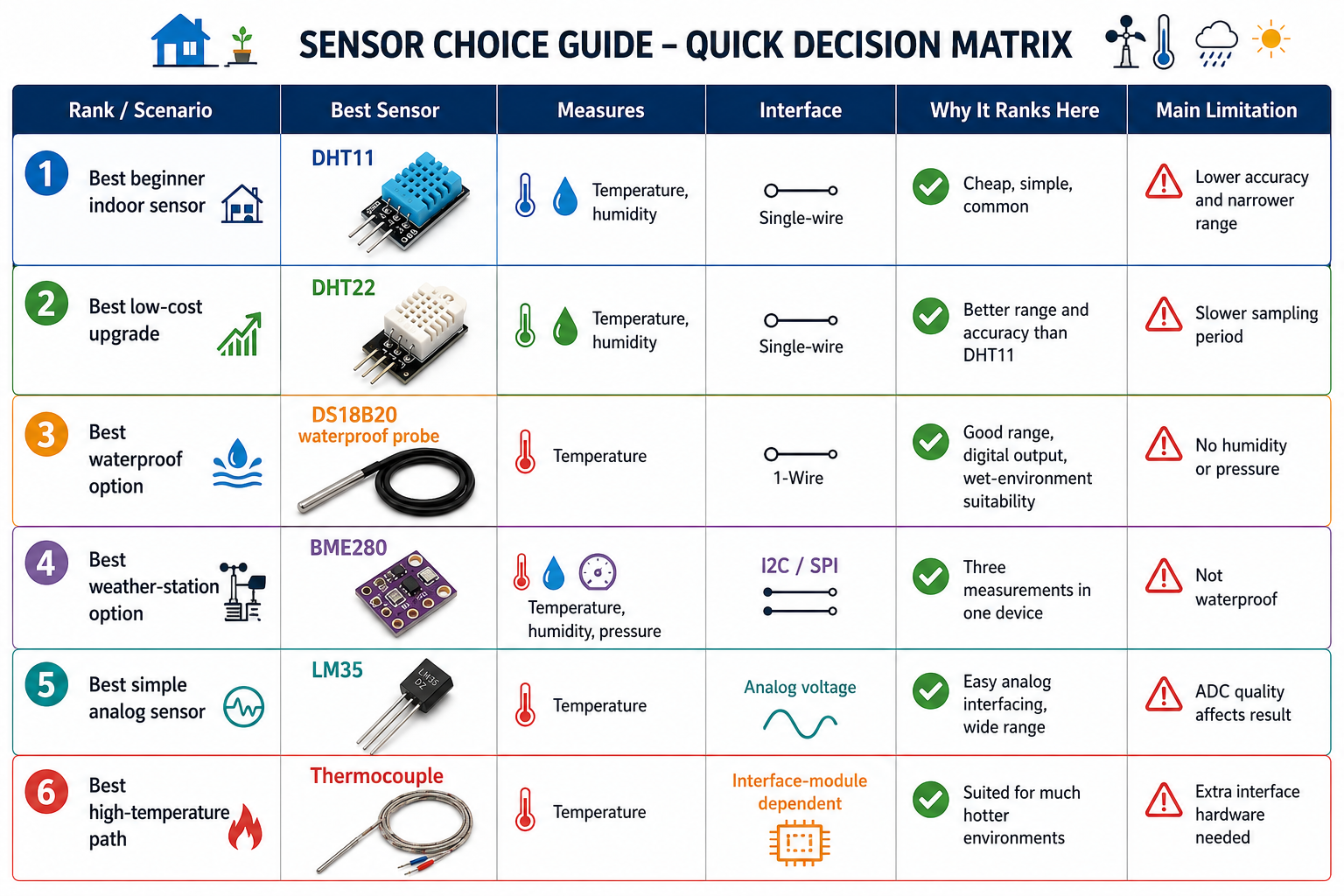
[IMAGE NEEDED: decision matrix graphic mapping indoor beginner, weather station, waterproof probe, and high-temperature use cases]
FAQ
Which is the best Arduino temperature sensor for beginners?
For beginners, DHT11 is usually the easiest starting point because it is inexpensive, common, and measures both temperature and humidity with a simple single-wire interface. If you want better accuracy without changing sensor type too much, DHT22 is the better next step.
What is the difference between DHT11 and DHT22 for Arduino projects?
DHT22 offers a wider temperature range, better temperature accuracy, and better humidity accuracy than DHT11. DHT11 is cheaper and works fine for basic indoor monitoring, while DHT22 is the better fit when conditions vary more or when measurement quality matters more.
Which Arduino temperature sensor is waterproof and safe for measuring water temperature?
The DS18B20 waterproof probe is the most practical choice in this guide for measuring water temperature. It is available in a sealed probe form and uses a digital interface. Avoid immersing bare sensor bodies or breakout modules that are not built for wet environments.
Should I choose an analog or digital temperature sensor for Arduino?
Choose analog sensors like LM35 or TMP36 when you want simple temperature-only hardware and can tolerate ADC-dependent measurement quality. Choose digital sensors when you want easier calibration, cleaner interfacing, multi-parameter data, or support for buses such as I2C, SPI, or 1-Wire.
Can I connect multiple DS18B20 sensors to one Arduino pin?
Yes. Multiple DS18B20 sensors can share one 1-Wire bus on a single Arduino data pin because each device has its own unique 64-bit serial code. That makes DS18B20 a strong choice for multi-point monitoring without using multiple digital pins.
Which Arduino temperature sensor is best for a weather station?
BME280 is the best fit in this guide for a weather station because it measures temperature, humidity, and pressure in one sensor. BMP180 also works for pressure and temperature, but it does not add humidity measurement like BME280 does.
Why does my temperature sensor reading look inaccurate or unstable on Arduino?
Unstable readings usually come from using the wrong sensor for the environment, poor wiring, ADC limitations on analog sensors, or trusting incorrect published specs. Also check sampling rate limits, supply voltage, and whether the sensor is exposed to moisture when it is not designed for it.
What temperature sensor should I use for high-temperature measurements above 100°C?
For temperatures above 100°C, start by looking at thermocouples or, depending on the range needed, sensors like LM35 or DS18B20 that can reach above 100°C. Thermocouples are the better fit when the environment is much hotter or industrial in nature.