
Product added to cart

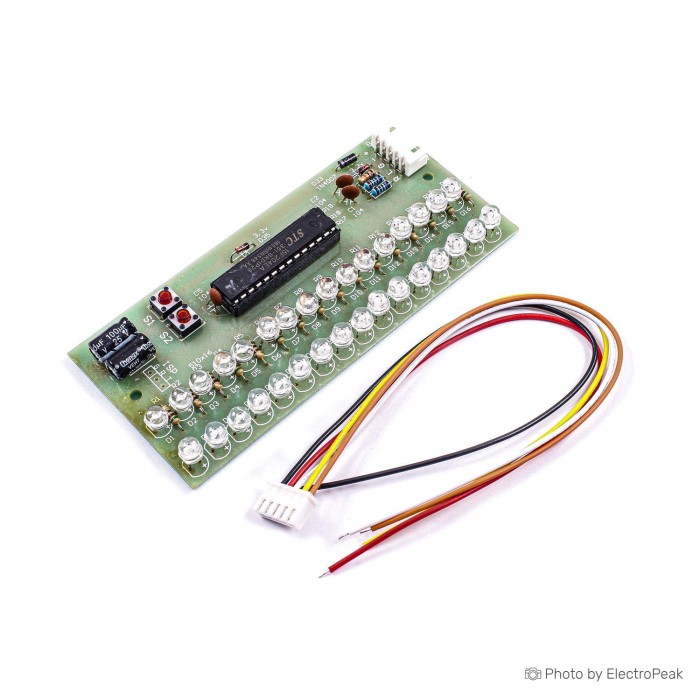
Dual Channel Blue LED Music Sound Spectrum Indicator
$4.9500
In stock
SKU
ELC-02-031
Volume discounts:
- +25 4 % $4.7700
- +100 6 % $4.6700
- +300 7 % $4.5800
- +500 9 % $4.4900
- +1000 11 % $4.4000
Ships in 2-3 business days, then:
Free delivery in 12-15 days by Tracked Economic Shipping on orders over $100.
Free delivery in 7-10 days by Express Shipping on orders over $300.
More shipping info

Shop with confidence Learn More
 WS2812 8-Bit RGB LED Straight Module Previous
Dual Channel Blue LED Music Sound Spectrum Indicator is a 16 LED dual-channel sound spectrum display module for music and audio signals. It includes S1 and S2 buttons for normal display control and brightness adjustment. The module supports simple button operation for switching display patterns and adjusting brightness levels. Power is supplied through the headphone jack connection. Please avoid AC power and high voltage input. The signal input should not be too strong, and the headphone jack signal is generally suitable.
Features of Dual Channel Blue LED Music Sound Spectrum Indicator - 16 LED, 8-12V DC
- 16 LED dual-channel display
- S1 and S2 button control
- Normal display mode adjustment
- Brightness adjustment mode
- Headphone jack power supply
- Audio spectrum indication
Specifications of Dual Channel Blue LED Music Sound Spectrum Indicator - 16 LED, 8-12V DC
- Size: 50x110 mm
- Signal input range: minimum 300 MV
- Signal input range: maximum 5V
- Power supply voltage: 8-12V DC
- Maximum current: 500 mA
- Maximum current: about 70 mA
- Audio signal lines: R
- Audio signal lines: L
- Audio signal lines: G
- S1 button
- S2 button
- Long press: more than 1 second
- Short press: less than 1 second greater than 0.2 seconds
How to Use Dual Channel Blue LED Music Sound Spectrum Indicator - 16 LED, 8-12V DC
- Connect the audio signal lines R, L, and G correctly.
- Apply 8-12V DC power through the headphone jack connection.
- Use S1 to adjust input signal intensity or increase brightness in brightness mode.
- Use S2 to select the display pattern or decrease brightness in brightness mode.
- Long press S2 to enter brightness adjustment mode and long press again to save and return.
More Info
- Do not use AC power.
- Do not use high voltage input.
- The input signal should not be too strong.
- Power supply polarity is marked positive and negative.
Write Your Own Review

Please complete your information below to login.
Sign In
Create New Account