
Product added to cart

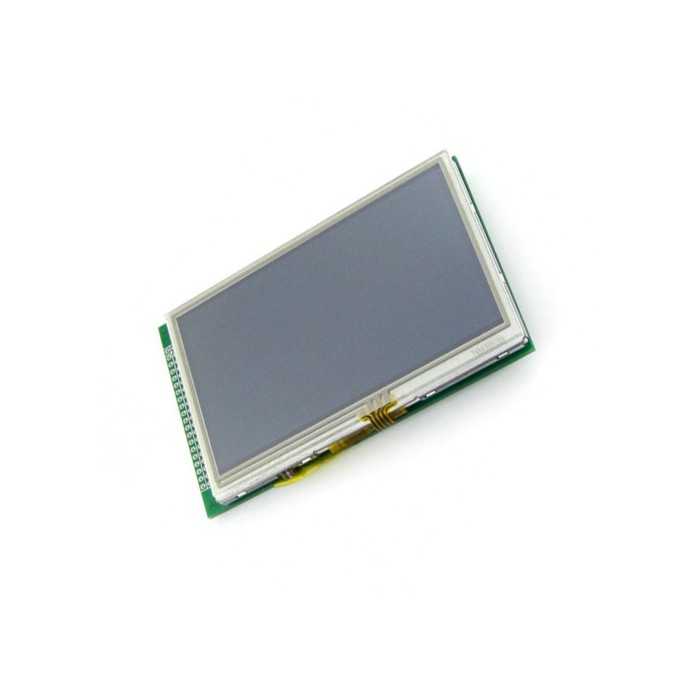
Waveshare 4.3 inch 480x272 Touch LCD Type A
$0.0000
Out of stock
SKU
LCD-01-039
Shop with confidence Learn More
 Waveshare 3.5 inch 320x480 Raspberry Pi LCD Type A Previous
Waveshare 4.3 Inch 480x272 Touch LCD Type A is a TFT display with a touch screen and stand-alone touch controller. It is designed for graphical data and color image display in laboratory systems and automation projects. The panel uses a 24-bit parallel LCD interface and a 4-wire resistive touch screen interface. It also includes LED backlight for display illumination.
Features of Waveshare 4.3 Inch 480x272 Touch LCD Type A
- 4-wire resistive touch screen
- 24-bit parallel LCD interface
- Stand-alone touch controller
- LED backlight
- 16,777,216 colors
Specifications of Waveshare 4.3 Inch 480x272 Touch LCD Type A
- LCD Type: TFT
- LCD Interface: 24-bit parallel
- Touch Screen Interface: 4 wires resistive
- Backlight: LED
- Response Time (ms): 30
- Contrast: 500:1
- Brightness (cd/m): 280
- Display Size (mm): 95.04 (W) ?? 53.86 (H)
- Dot Pitch (mm): 0.006 (W) ?? 0.198 (H)
- Colors: 16,777,216
- Aspect Ratio: 16:9
- Resolution: 480 * 272 (Pixel)
- Power Consumption: 56mW
- Backlight Current: 20mA
- Operating Temp. (??): -20 ~ +70
- PORT3 Definition: 1 IRQ Touch screen interrupt output Low level while the touch screen detects pressing
- PORT3 Definition: 2 5V 5V power supply input 5V power supply
- PORT3 Definition: 3 MOSI Touch screen SPI data input input Connects to SPI MOSI
- PORT3 Definition: 4 MISO Touch screen SPI data output output Connects to SPI MISO
- PORT3 Definition: 5 SCK Touch screen SPI clock input Connects to SPI SCK
- PORT3 Definition: 6 SSEL Touch screen chip select input Low active
- PORT3 Definition: 7 PWM Backlight brightness adjustment input Control the backlight brightness via PWM
- PORT3 Definition: 8 GND Ground input GND
- PORT3 Definition: 9 BUSY Touch screen busy output
- PORT3 Definition: 10 NC
- PORT3 Definition: 11 R0 Data lines input Red layer Da
How to Use Waveshare 4.3 Inch 480x272 Touch LCD Type A
- Connect the LCD interface and touch screen interface as required.
- Provide 5V power input through PORT3.
- Use the touch controller signals on PORT3 for operation and backlight control.
More Info
- Product category keywords: display, module, sensor, board
- Suitable for graphical data and color image display
Write Your Own Review
Please complete your information below to login.
Sign In
Create New Account