Contents

Interfacing ADS1232 High Precision 24-Bit ADC with Arduino

ADS1232 24-Bit ADC Module Features

Almost all microcontrollers come with ADC pins, but they lack high precision. In a lot of projects, analog values need to be measured with high accuracy, or the voltage level of the measured signal is not within the microcontroller measurement range, or even the microcontroller used doesn’t have an ADC pin. In such cases, analog to digital converter modules are used.

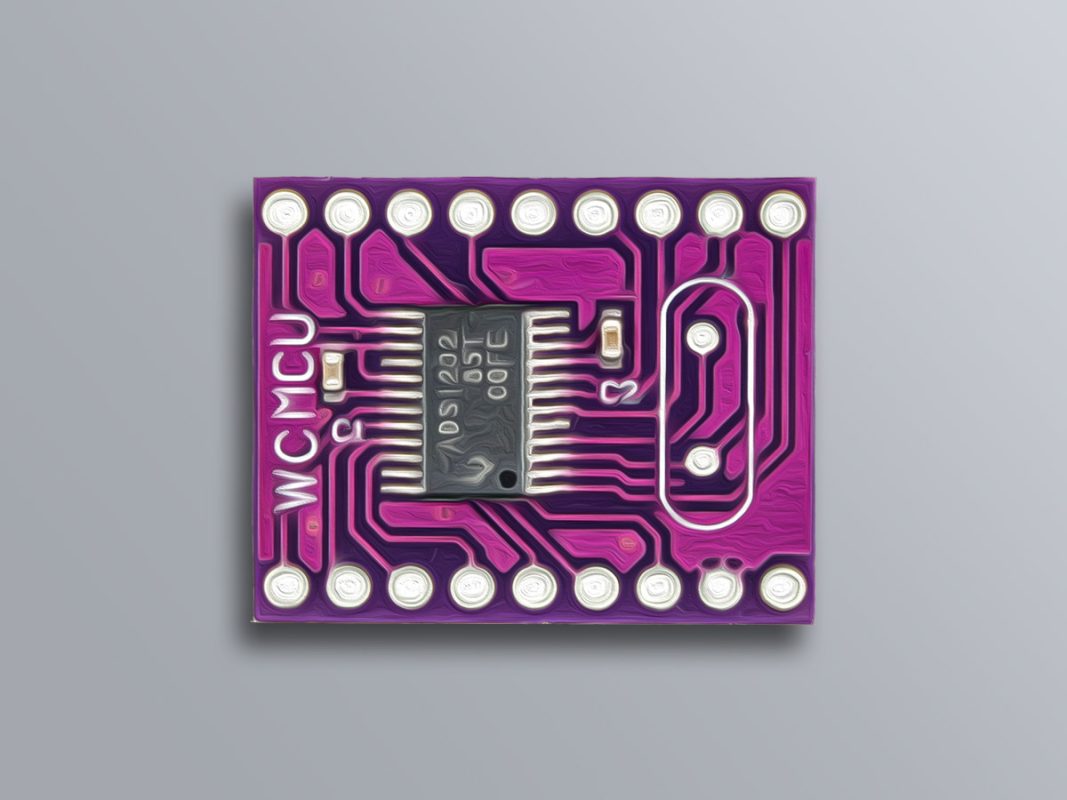
ADS1232 module is an analog to digital converter module that has 24-bit precision. This module can be used to measure the output value of the Wheatstone Bridge.

To download the datasheet of this module, click here.

Icon

ADS1232 Module Datasheet 1.93 MB 1828 downloads

…

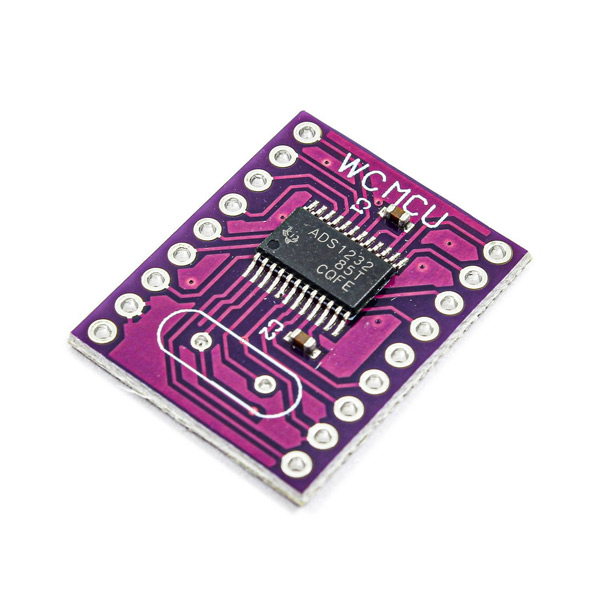
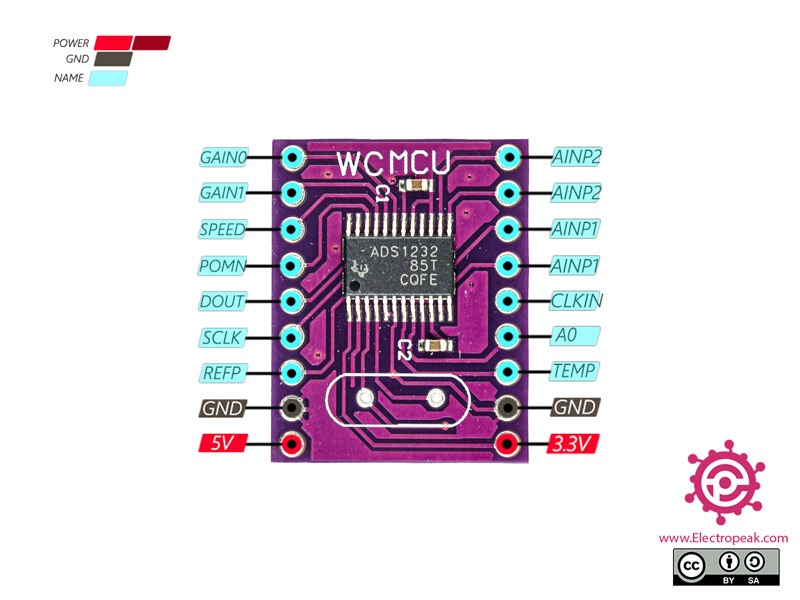
ADS1232 24-Bit ADC Module Pinout

The ADS1232 ADC Module has 10 pins:

  • 3.3V: Module power supply – 3.3V
  • 5V: Module power supply – 5V
  • GND: Ground
  • REFP: Reference Voltage
  • SCLK: Source Clock for Synchronization
  • DOUT: Data Transmit Line
  • POMN: Module Power Control
  • SPEED: Data Transmit Speed
  • GAIN1: Gain Selection
  • GAIN0: Gain Selection
  • TEMP: Temperature Sensor Selection
  • A0: First Analog Input
  • CLKIN: External Clock Input
  • AINP1: Wheatstone Bridge Input 1
  • AINP2: Wheatstone Bridge Input 2


You can see the pinout of this module in the image below.

Required Materials

Hardware Components

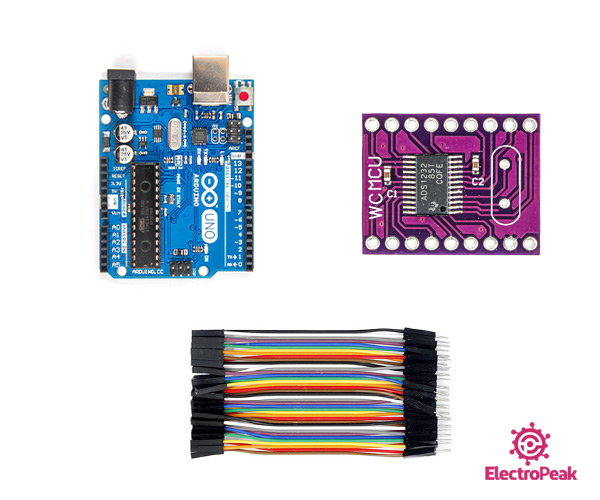
Arduino UNO R3 × 1
ADS1232 ADC Module × 1
male to Female jumper wire × 1
10kg Load Cell × 1

Software Apps

Arduino IDE

Interfacing ADS1232 24-Bit ADC Module with Arduino

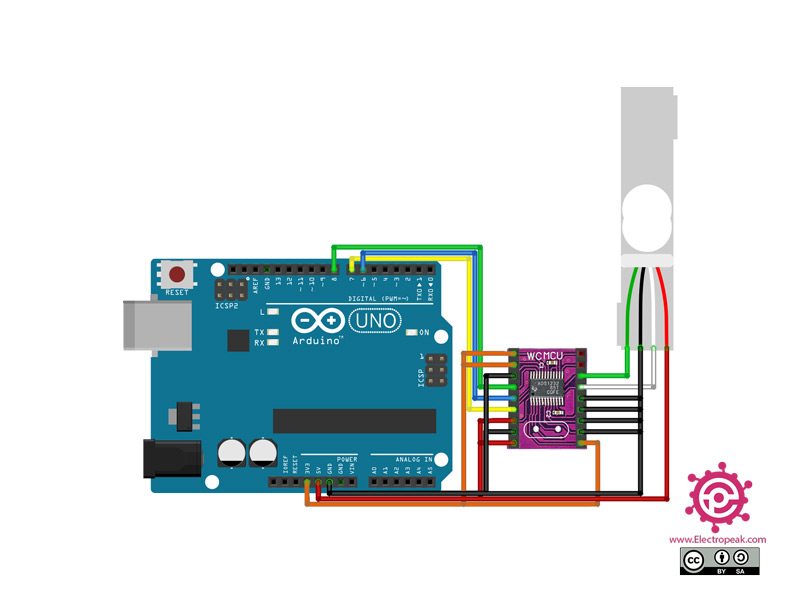
Step 1: Circuit

The following circuit shows how you should connect Arduino to ADS1232 module. Connect wires accordingly.

Note

A load cell is used to test the module.

Step 2: Installing Library

Install the library below on your Arduino IDE.

https://github.com/ciorceri/ADS1232

Note

If you need more help with installing a library on Arduino, read this tutorial: How to Install an Arduino Library

Step 3: Code

Upload the following code to Arduino. After that open the Serial Monitor.

/*
  Modify on May 16, 2021
  Modify by MohammedDamirchi base of https://github.com/ciorceri/ADS1232
  
Home
*/ #define _dout 6 #define _sclk 7 #define _pdwn 8 #include "ADS1232.h" ADS1232 weight = ADS1232(_pdwn, _sclk, _dout); void do_calibration() { long t_new_offset = 0; long t_raw_read = 0; float t_set_scale_value = 0; float t_weight = 0; // reset to default values weight.OFFSET = 0; weight.SCALE = 1.0; // tare t_new_offset = weight.raw_read(3); weight.OFFSET = t_new_offset; Serial.print("Calibration offset = ");Serial.println(weight.OFFSET); Serial.println("You have 10 seconds to put a 2L CocaCola bottle on scale"); delay(10000); // do calibration based on a known weight t_raw_read = weight.raw_read(3); Serial.print("Units read = ");Serial.println(t_raw_read); t_set_scale_value = t_raw_read / 2.0; // divide it to the weight of a CocaCola bottle weight.SCALE = t_set_scale_value; Serial.print("Calibration scale value = ");Serial.println(weight.SCALE); // read weight t_weight = weight.units_read(3); Serial.print("Weight = ");Serial.println(t_weight); } void setup() { Serial.begin(9600); weight.power_up(); do_calibration(); } void loop() { Serial.println(weight.units_read(3)); delay(1000); */

This code is for measuring the Wheatstone Bridge output value on AINP1 pins.

Liked What You See?​
Get Updates And Learn From The Best​

Comments (3)

  • Rajeev Gupta Reply

    The link to ads1232 library goes to ads1118, please update or clarify
    Regards

    January 31, 2025 at 11:37 pm
    • Mohammad Damirchi Reply

      Thank you for your reply! The link has been updated.

      February 1, 2025 at 10:57 am
  • Trinh Ngoc The Reply

    Can I connect as under
    ADS 1232 PIN ADS 1232 PIN
    TO GND GAIN 0 AINP2
    TO GND GAIN 1 AINN2
    TO VCC SPEED AINP1 LOAD CELL
    TO VCC POWN AINN1 LOAD CELL
    TO PIN 12 DOUT CLKIN
    TO PIN 13 SCLK A0 TO GND
    TO VCC REFP TEMP TO GND
    GROUND GND GND
    VCC +5V 5 V 3.3V

    September 6, 2025 at 8:18 am

Leave a Reply

Your email address will not be published. Required fields are marked *